Save & Share Your Favorite Places & Locations Effortless!
About Save Location GPS
Save Location GPS helps you remember every place that matters. You can save, share, and organize locations in seconds, even without internet. Add notes, photos, or coordinates to keep everything clear. It’s easy to use, accurate, and built for anyone who travels, works, or just loves exploring.
Easy to Get Started!
Set Up Devices
Install the app
Sign Up
Create an account
Track & Manage
Add/Monitor locations in real-time
Target Audience Save Location GPS Served
Save Location GPS fits perfectly into how real people work and travel every day. Solo travelers can track every route, pin destinations, and relive their adventures with zero fuss, even offline. Survey and research teams capture accurate site data, add photos, and share coordinates that make reporting a walk in the park. Photographers can tag every perfect spot, save lighting notes, and return later without missing the view. Maintenance and repair pros stay organized by marking client or service locations for easy follow-ups. Even for personal safety and daily use, it helps track routes and share live positions, keeping users safe and confident wherever they go.
Solo Adventure Travelers
Track routes, maps routes, and destinations in real time.
Track volunteers, projects, and rural site visits. (Charity, NGO, Farming, R&D)
Detailed Features of Save Location GPS App
Save Location GPS keeps things easy and smooth for everyone on the go. You can save places, plan routes, or share them without breaking a sweat. Every action feels quick and natural, even when you’re offline or far from the city. Data syncs automatically, keeping everything safe and tidy while you focus on what really matters. It’s simple to use, surprisingly powerful, and built to make your journeys feel effortless from start to finish.
Core Location Features
You can save, share, or edit any location with just one tap, keeping every spot easy to find later. It’s fast, simple, and feels like having a smart map that remembers everything for you.
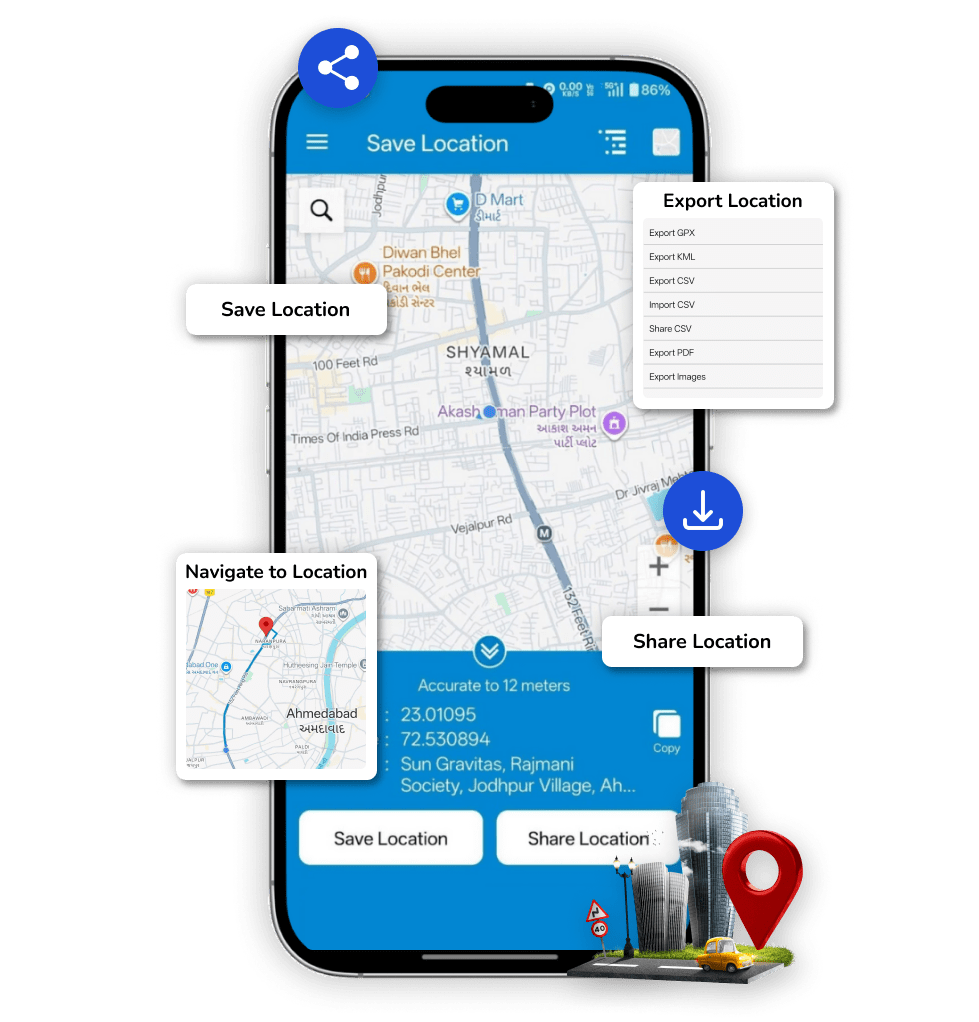
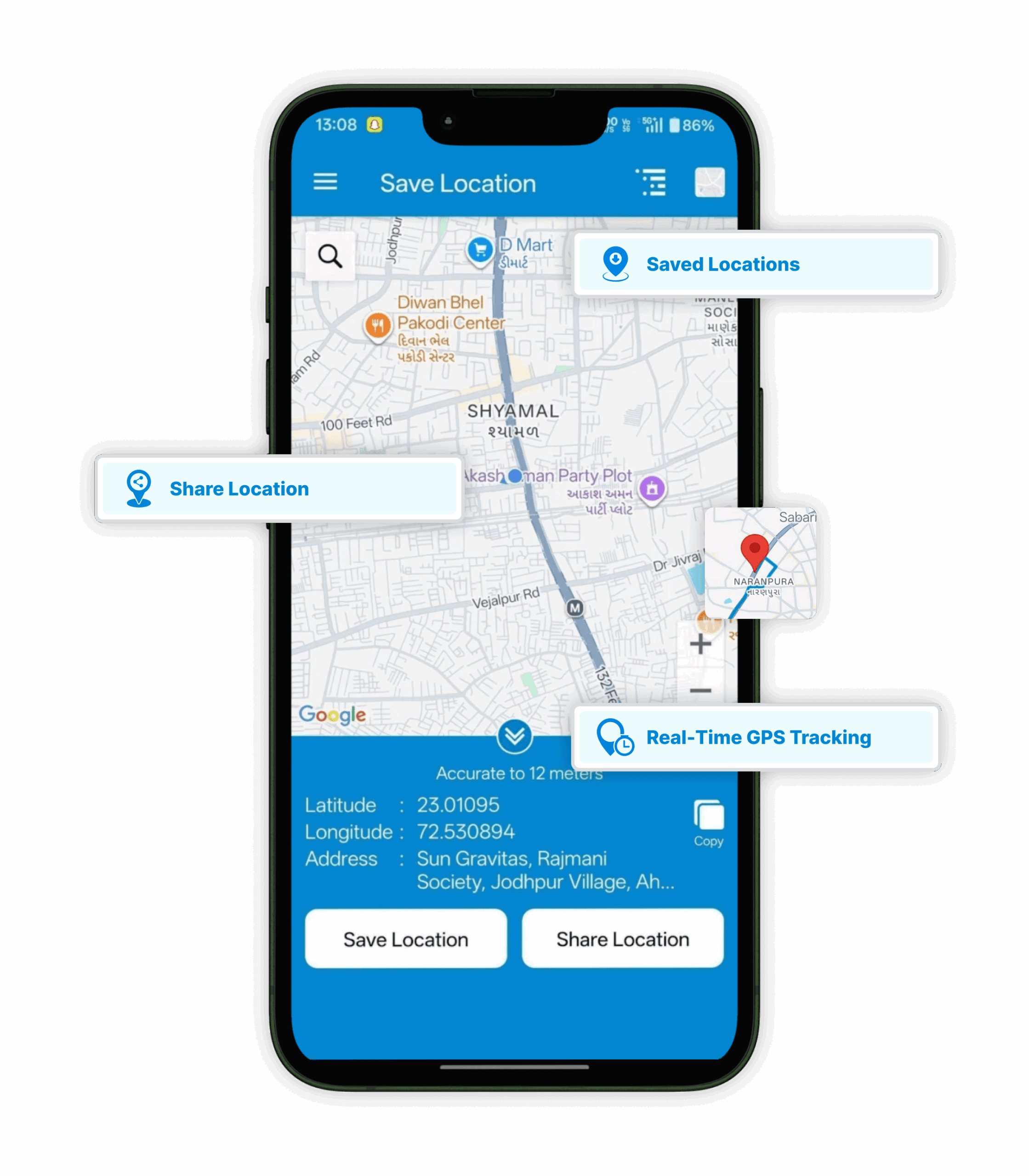
Save & Share Location
Instantly save your GPS location with a single tap and share it across messaging or social platforms.
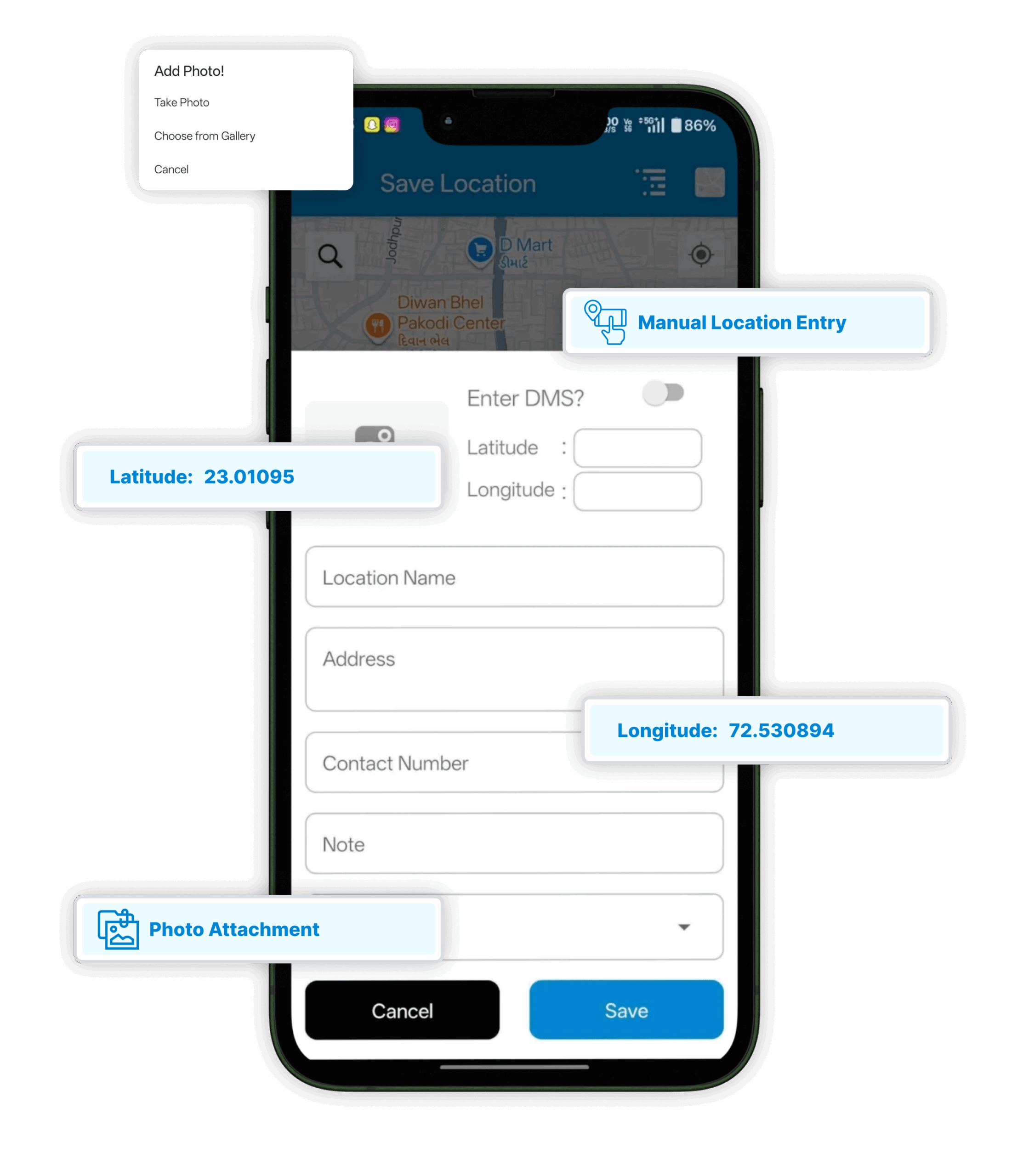
Manual Location Entry
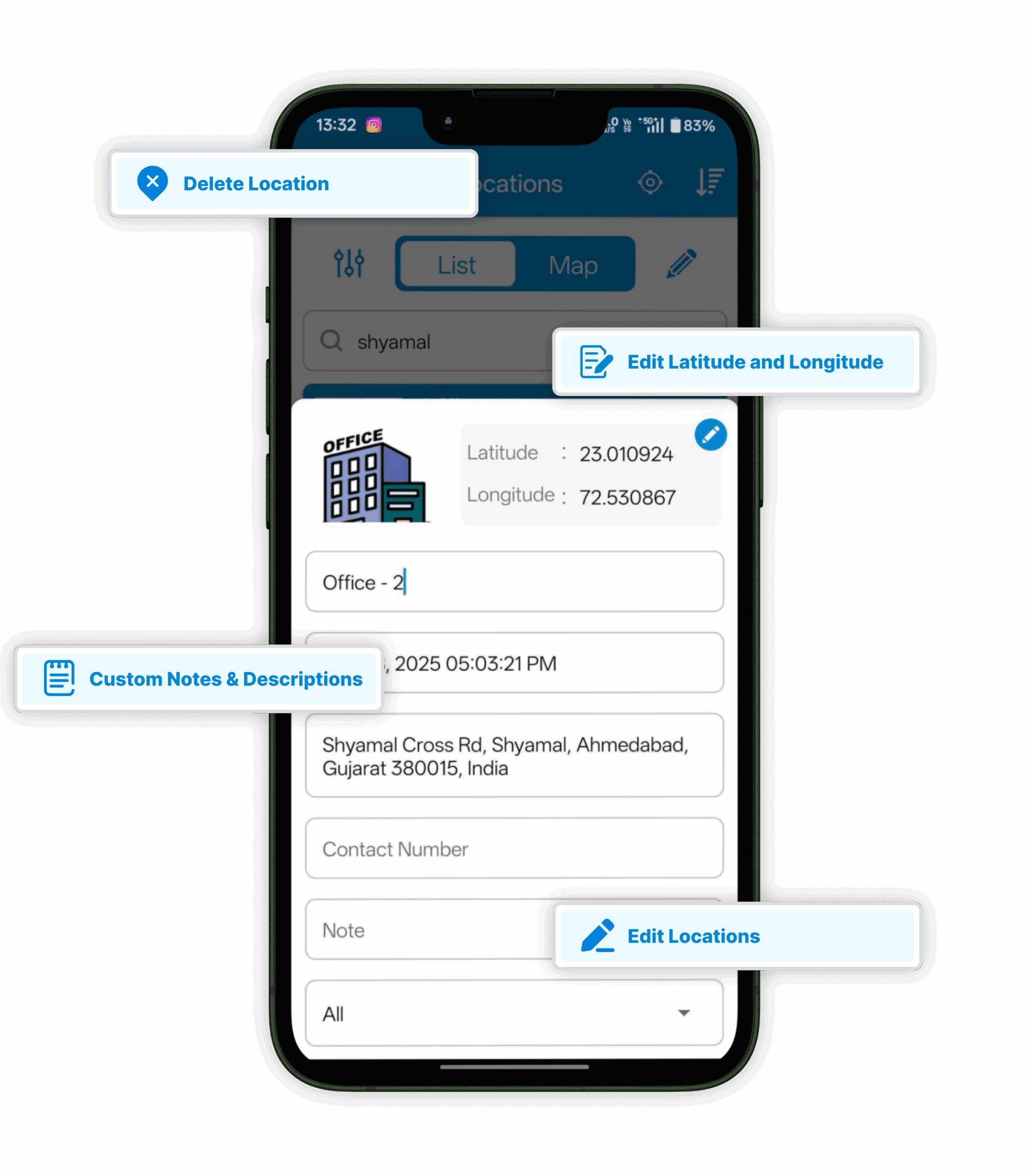
Add new places manually using latitude and longitude for precise control.
Real-Time GPS Mapping
Store a place in real time while you’re away from that location.
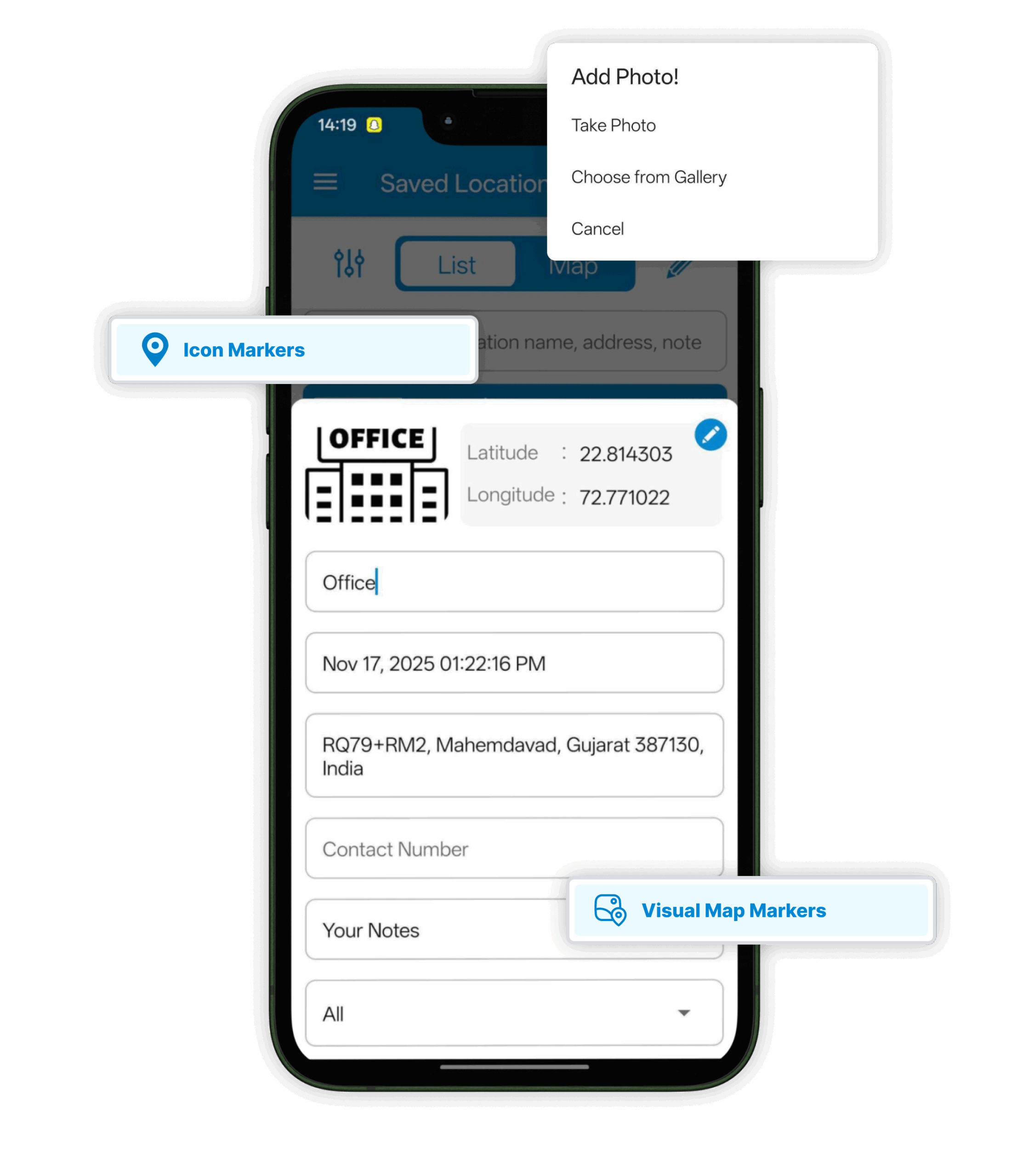
Photo Attachment
Tag photos with saved spots to identify locations visually.
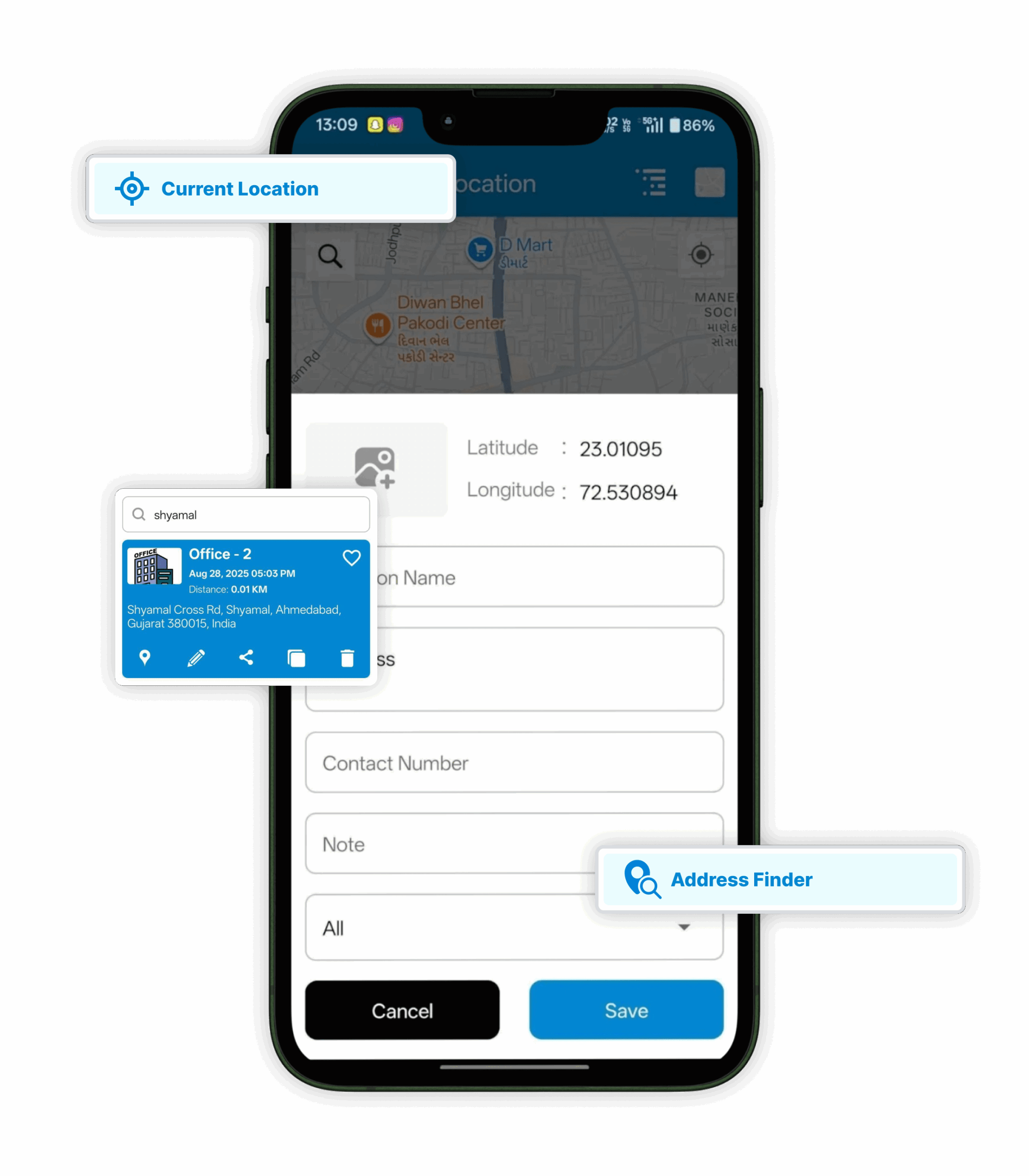
Address Finder
Quickly detect and fill in addresses based on your current or pinned position.
Location Organization
Location organization helps you keep every place sorted just the way you like it. You can group spots, edit details, or delete old ones in seconds, keeping things clean and clutter-free. Favorite places stay just a tap away, easy to find whenever you need them. Notes and short descriptions can be added too, making each saved location clear, personal, and simple to remember.
Edit or Delete Locations
Modify titles, notes, and details or remove old entries anytime.
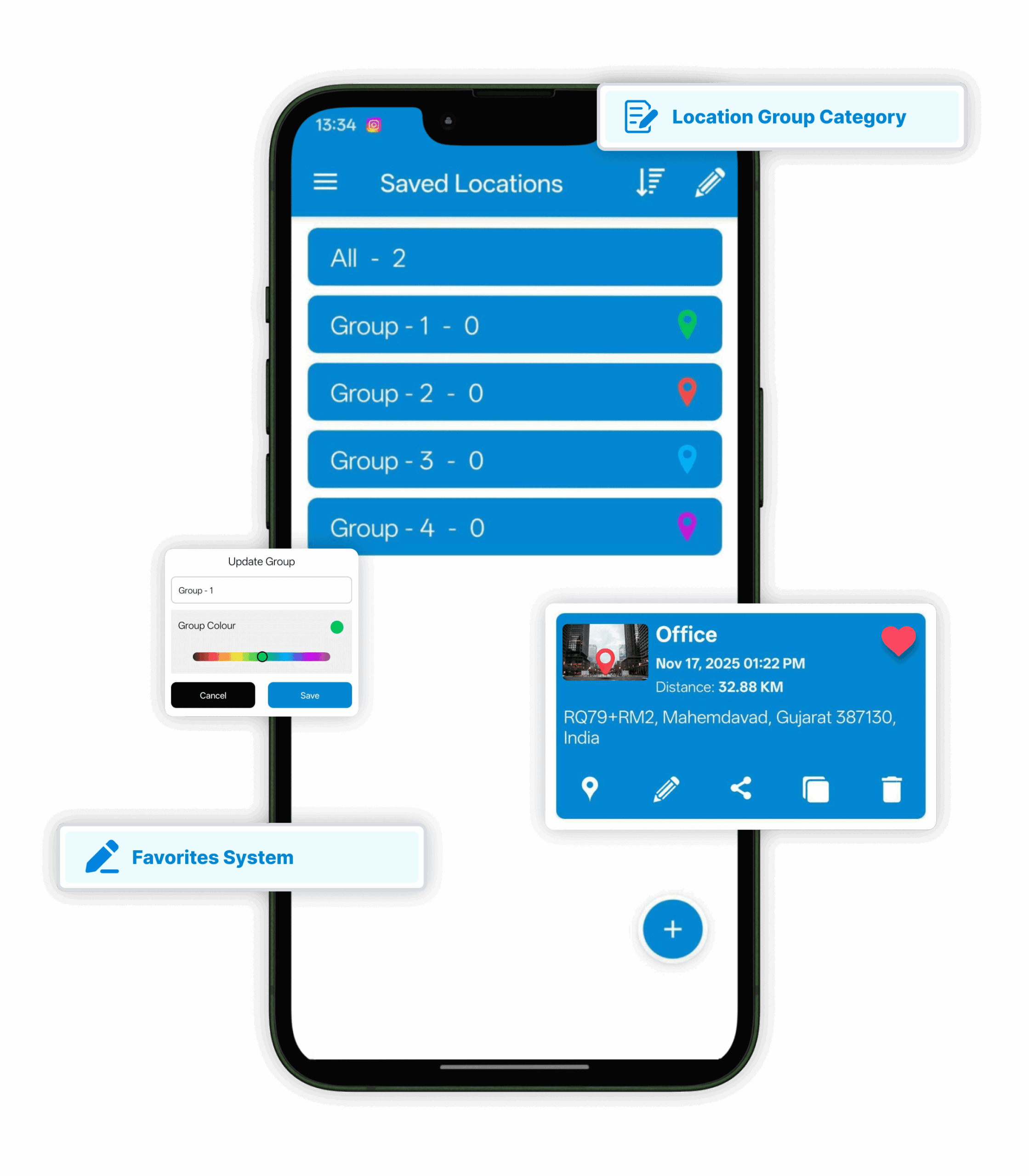
Group Locations
Organize spots by category such as work sites, personal places, or travel destinations.
Favorites System
Mark important locations as favorites for instant access.
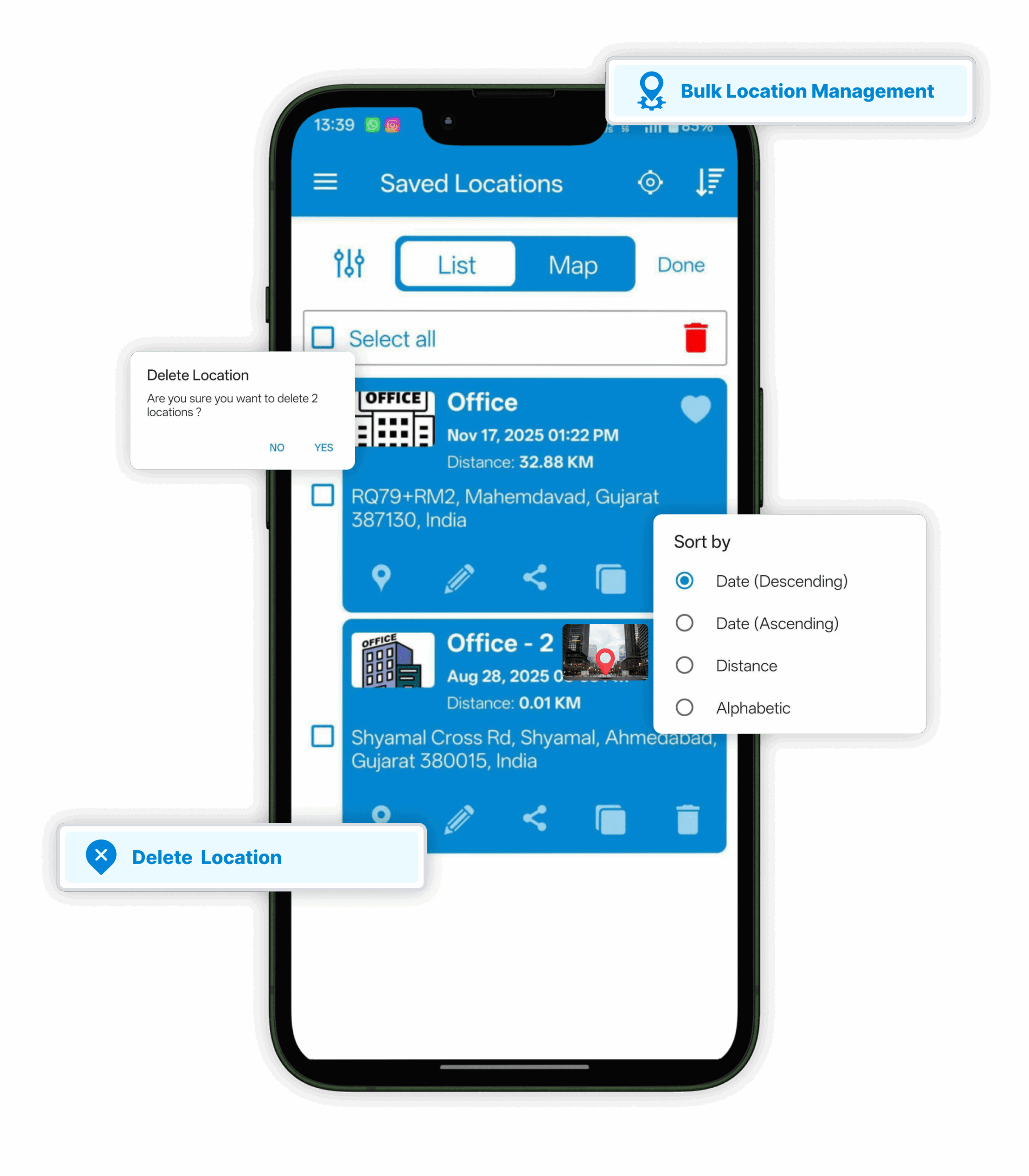
Bulk Location Management
Manage, sort, and handle multiple locations efficiently.
Custom Notes & Descriptions
Add short details or reminders to every saved place.
Navigation & Mapping
Navigation makes traveling easy and hassle-free. You can plan quick routes, follow smooth turn-by-turn directions, and switch between map views in a snap. Even if the internet drops, saved places stay visible, keeping your journey simple, safe, and right on track.
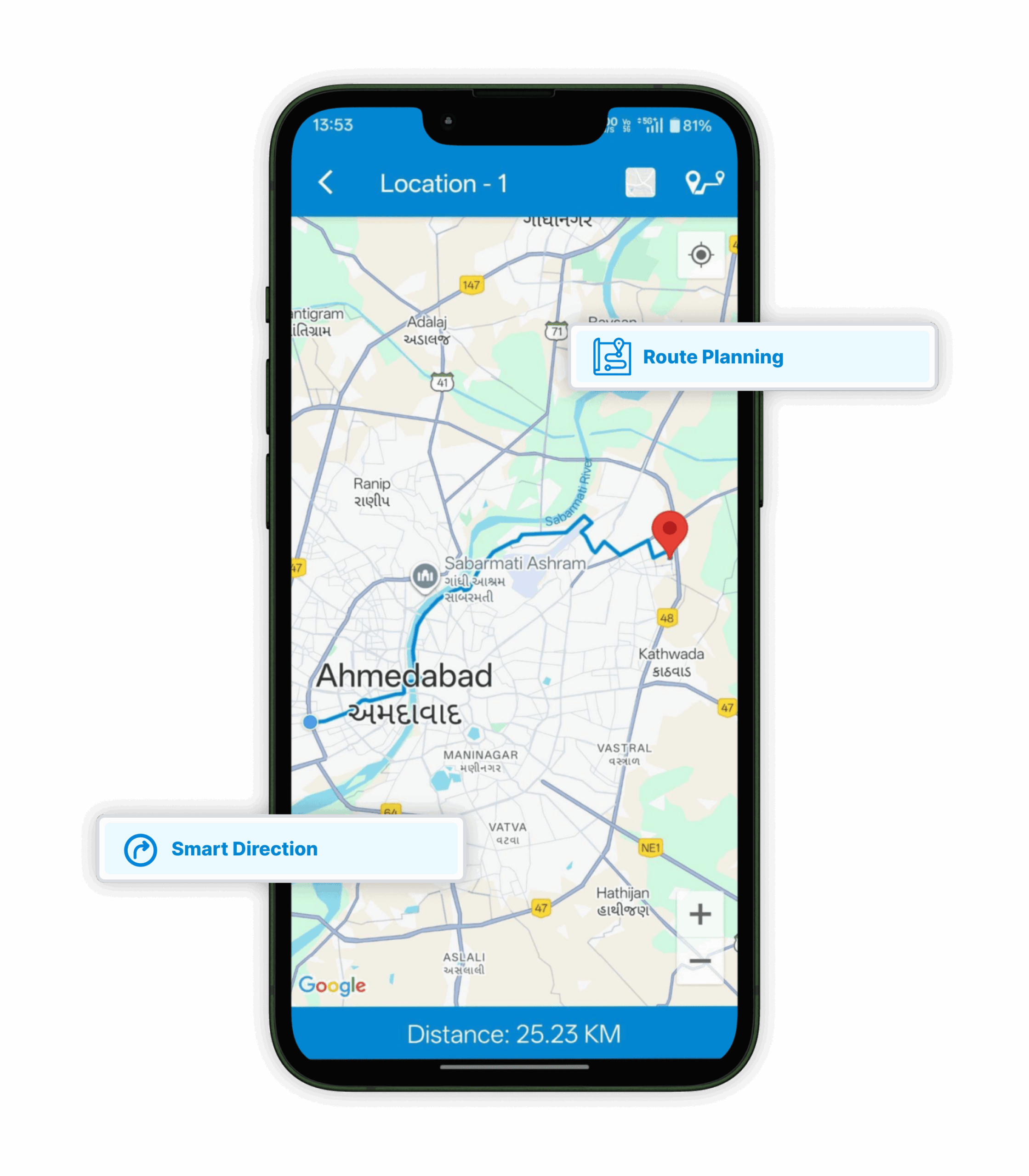
Route Planning
Get the quickest route to your saved locations using integrated maps.
Smart Direction
View detailed route directions directly in the app.
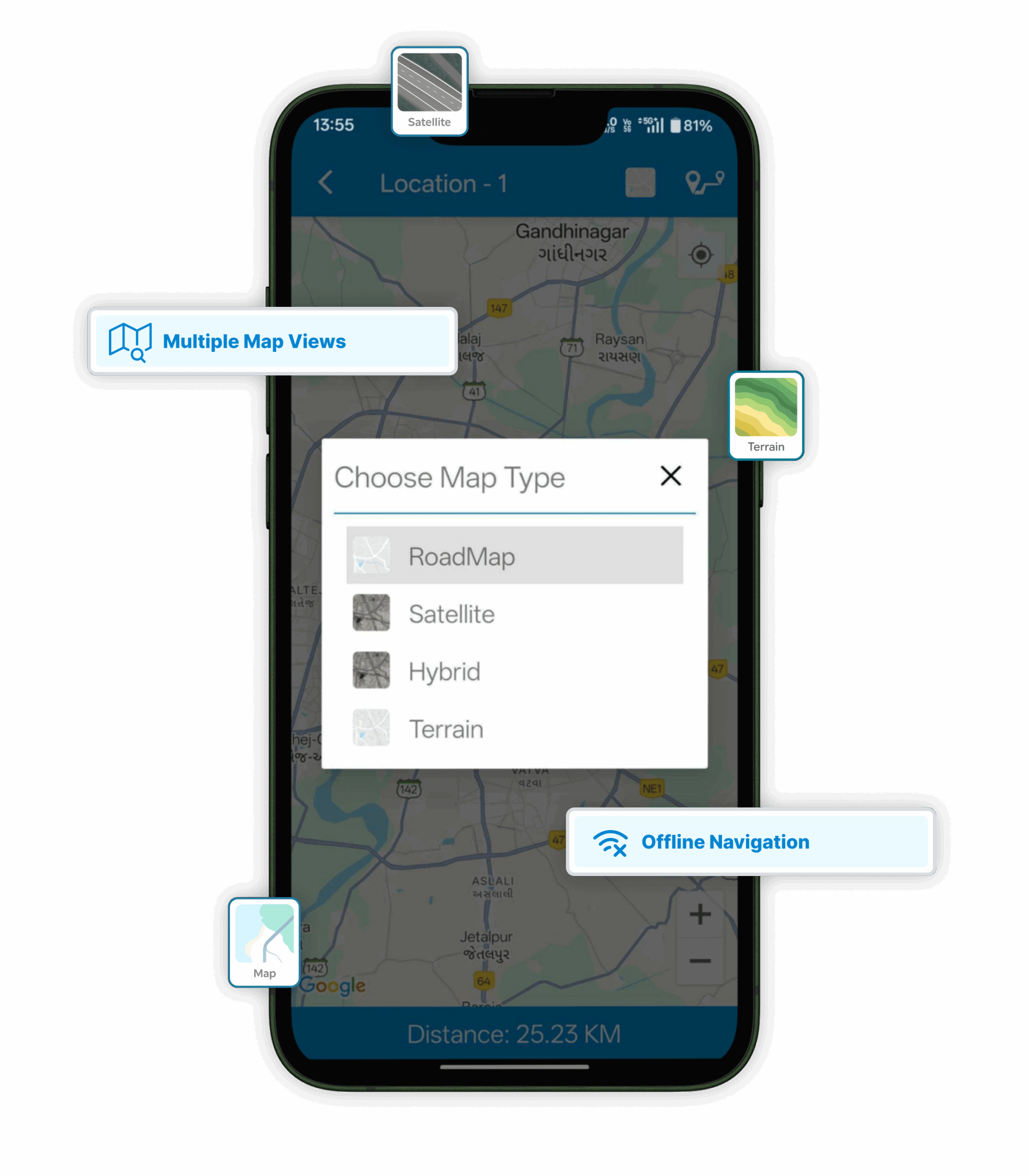
Multiple Map Views
Switch between Roadmap, Satellite, Hybrid, and Terrain views.
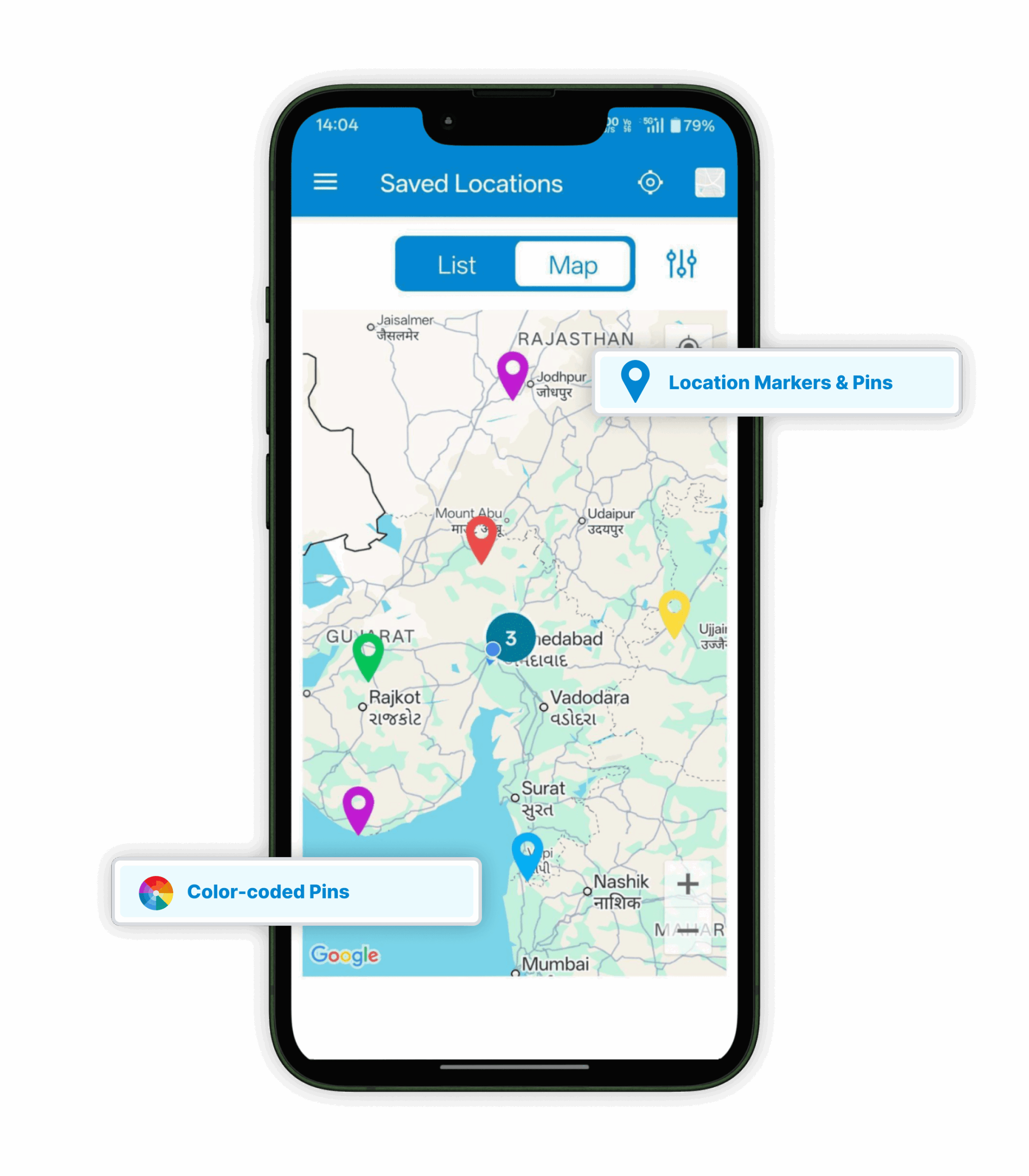
Location Markers & Pins
Use color-coded pins and map markers to distinguish places easily.
Offline Navigation (Google)
Access and view saved locations even without an internet connection (it may be slow).
Data & Synchronization
Save Location GPS keeps everything connected and running smoothly across your devices. You can sync data, share files, and even get alerts when entering or leaving specific zones. Locations stay saved offline, making teamwork easier and travel data always right where you need it.
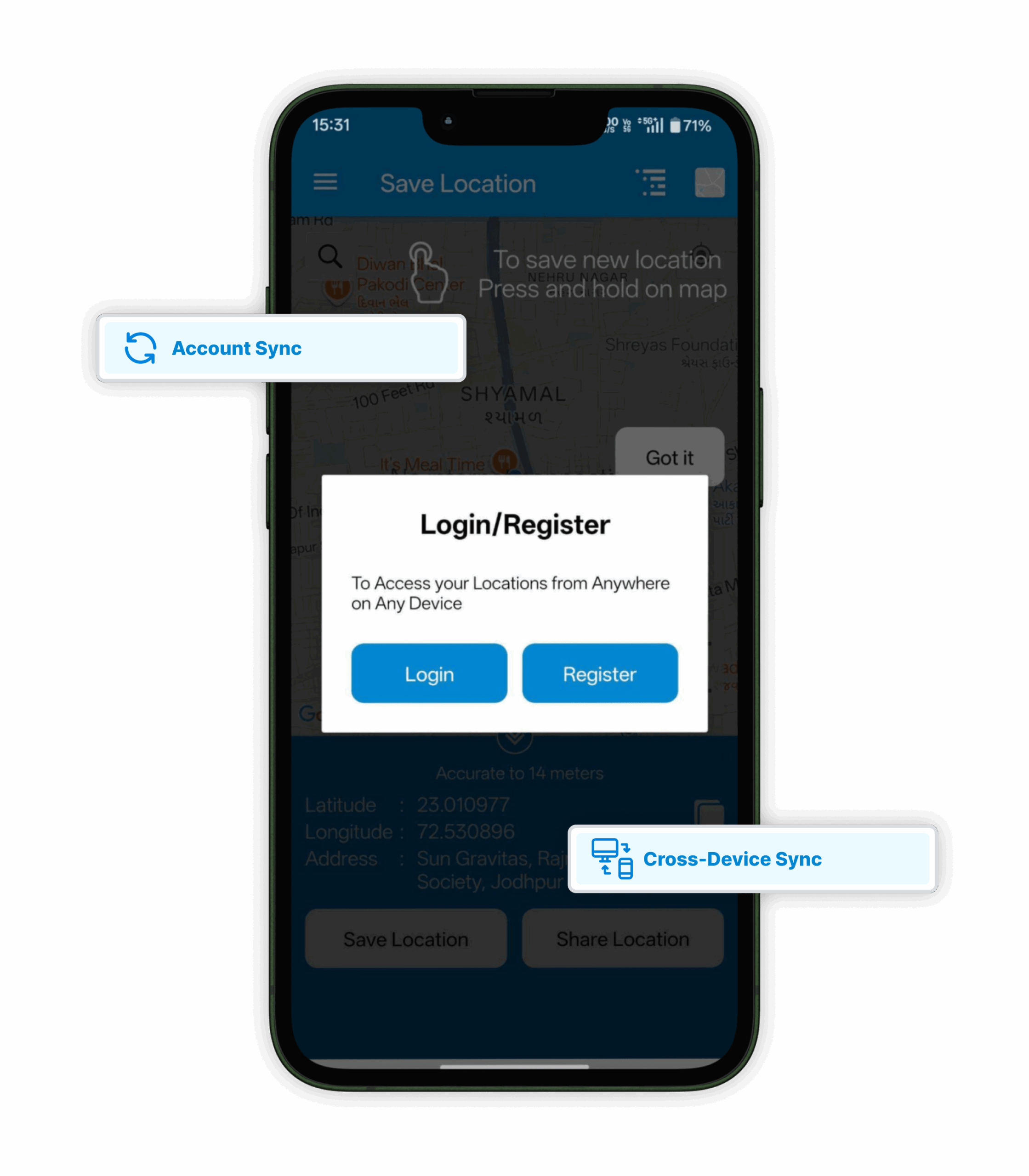
Cross-Device Sync
Log in to your account and access saved data across multiple devices.
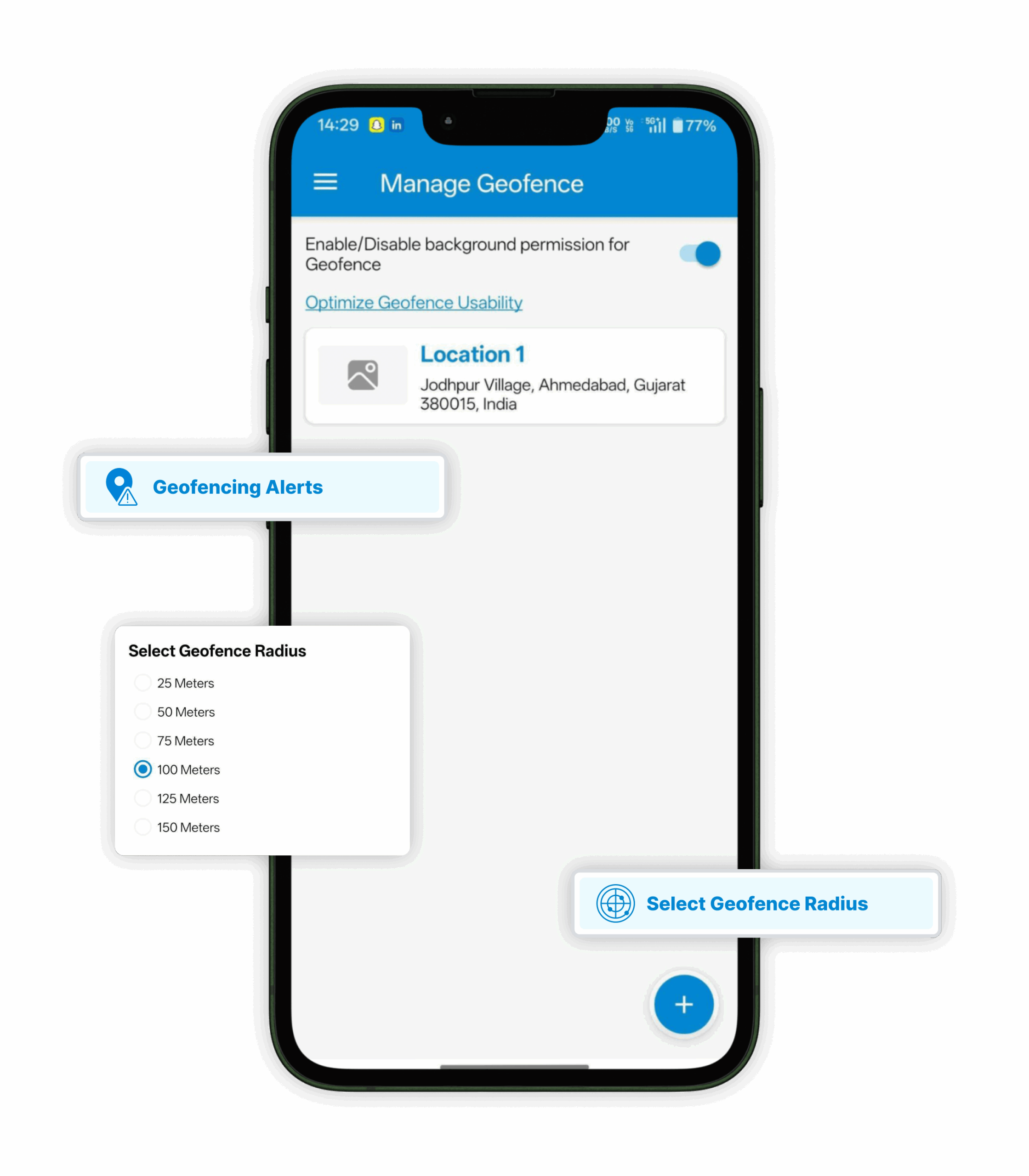
Geofencing Alerts
Receive instant notifications when you enter or exit predefined zones like delivery areas, checkpoints, or assigned sites.
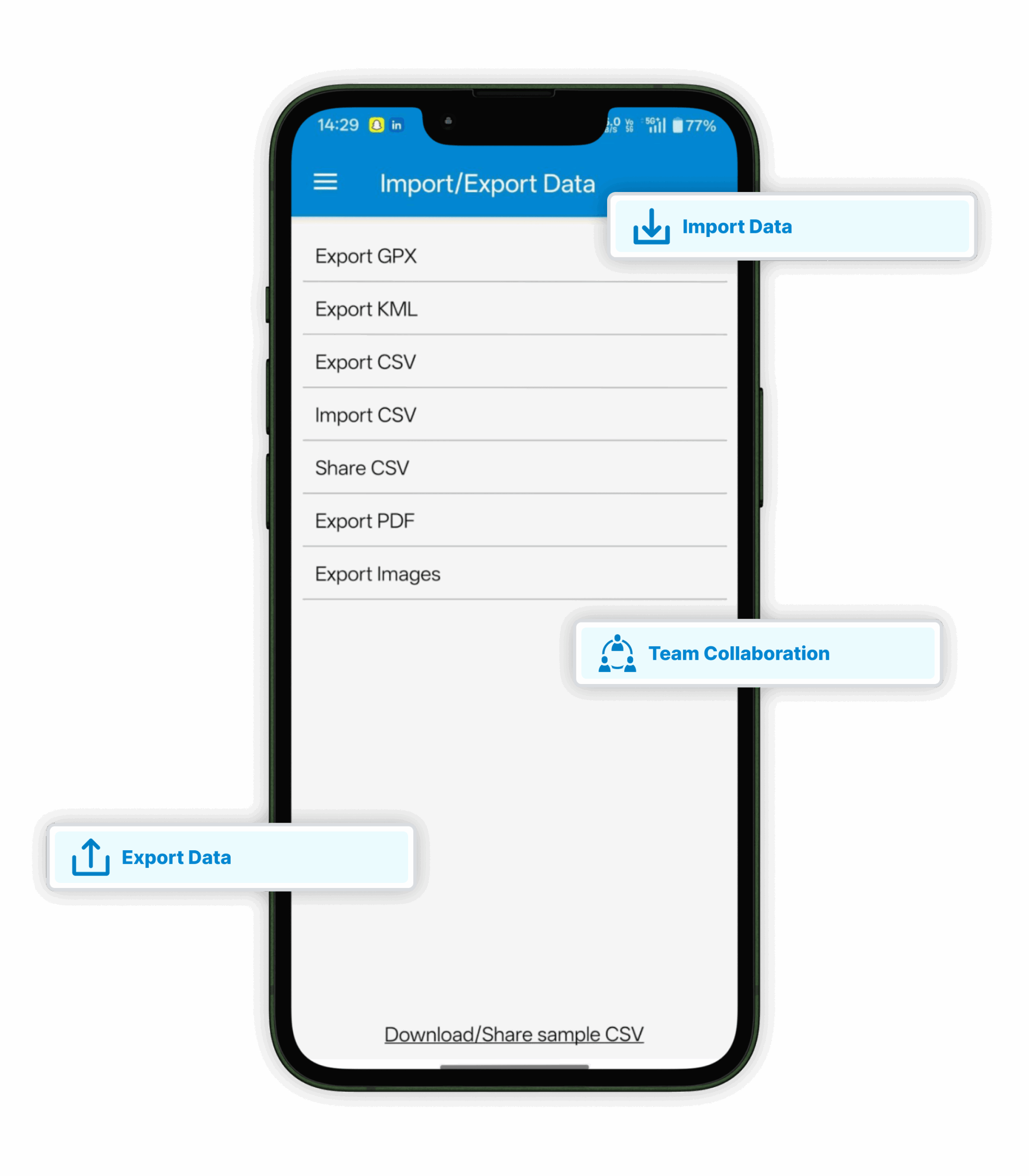
Import/Export Data
Transfer location data through CSV, KML, GPX, or PDF formats.
Offline Location Saving
Save and access locations without mobile data or Wi-Fi.
Team Collaboration
Share CSV datasets with colleagues for group projects or work tracking.
User Experience, Support & Privacy
Save Location GPS feels smooth, clean, and easy to use right from the start. You can search places instantly, view them with icons or images, and find help whenever needed. Data is safely stored with encryption, keeping your privacy protected while you explore freely.
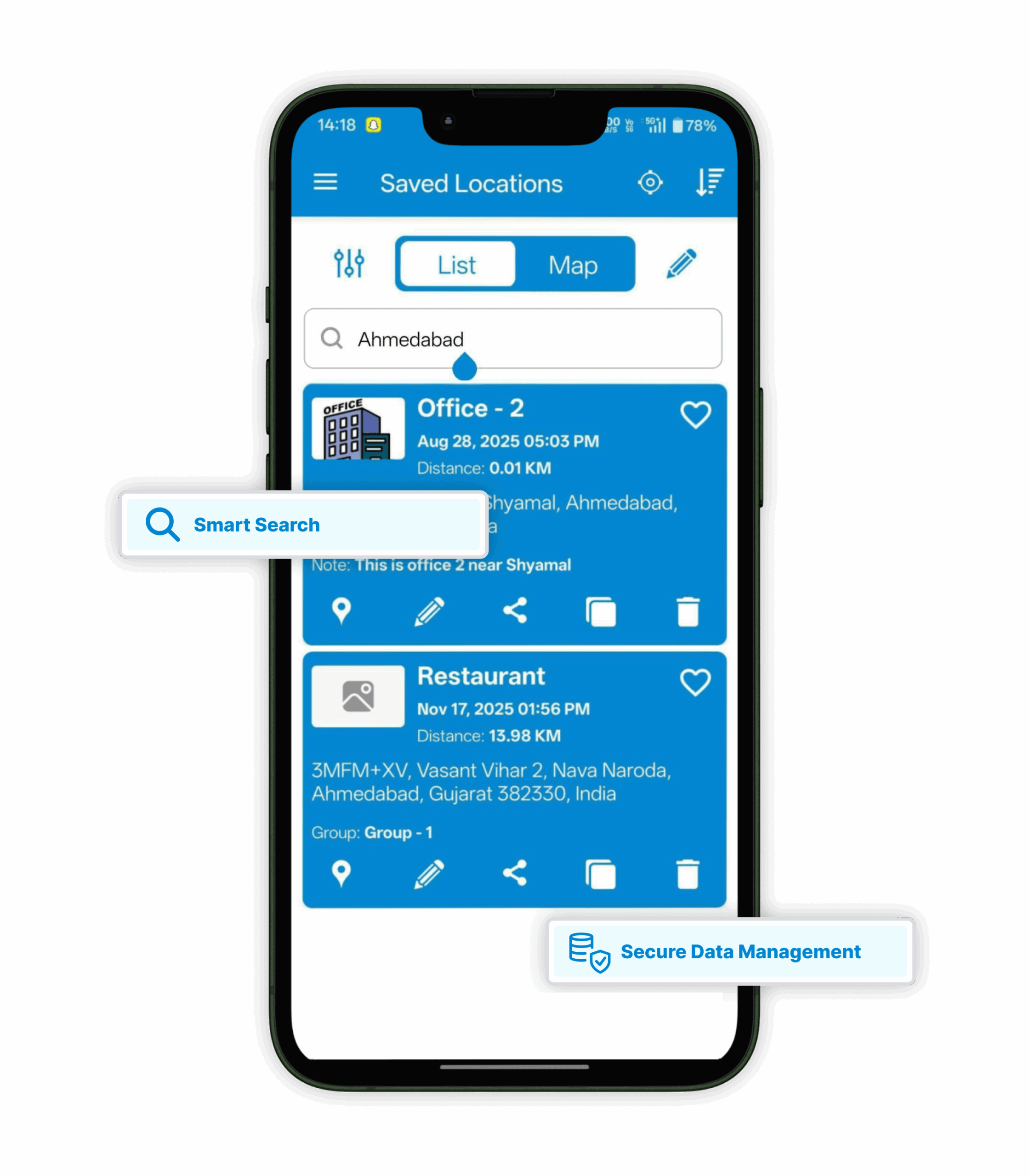
Smart Search
Find saved places by name, city, or address in seconds.
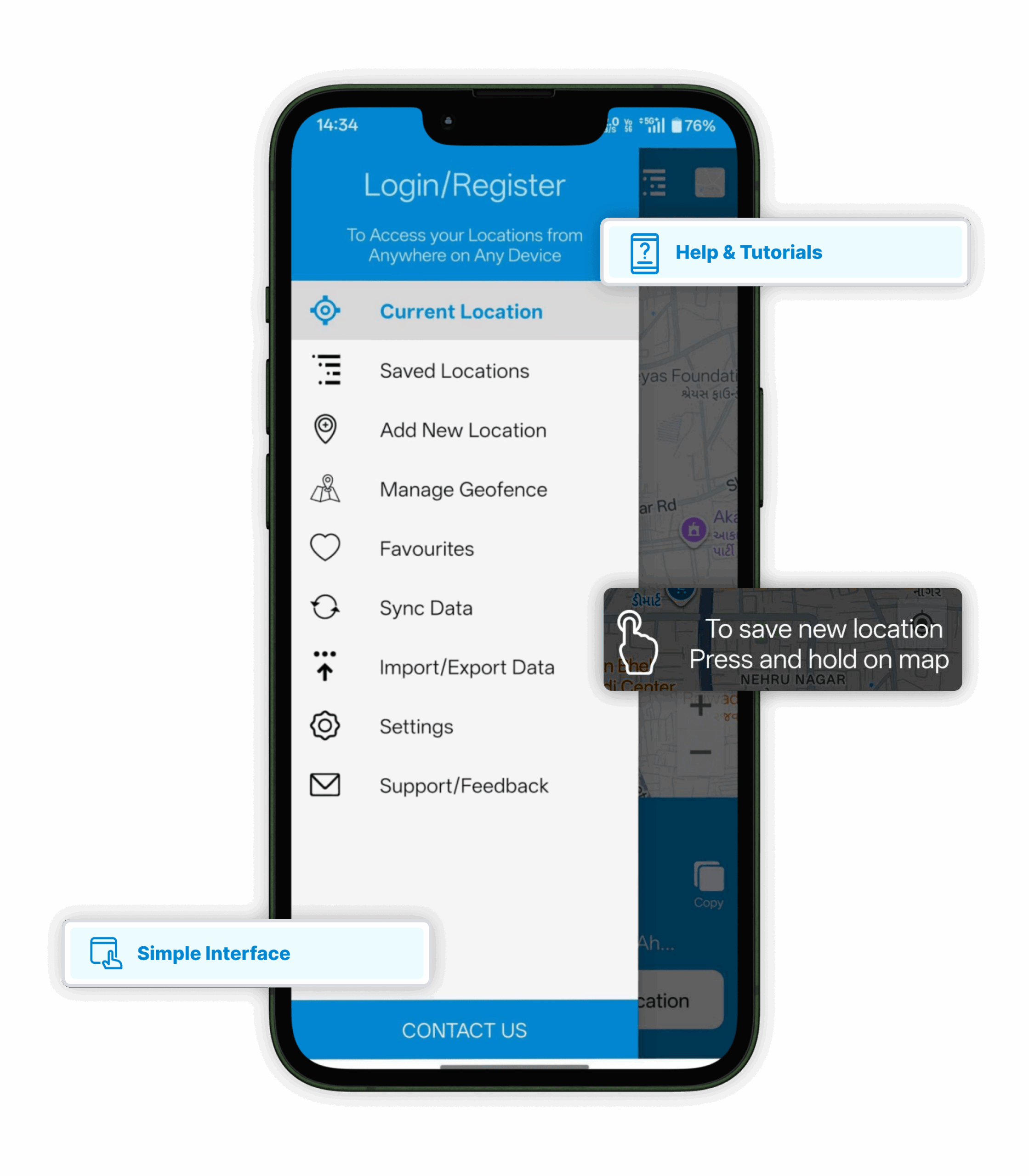
Simple Interface
One-tap design with minimal steps for quick usability.
Visual Map Markers
Add icons or images to make locations easily recognizable.
Help & Tutorials
Access FAQs, guides, and getting-started resources within the app.
Secure Data Management
Enjoy full privacy control with safe, encrypted location storage.
What are the Benefits of Using Save Location GPS?
Save Location GPS makes remembering places super easy and quick. You can store any spot, organize them neatly, and share with anyone in seconds. It works smoothly even without the internet, keeping everything safe and synced. Simple to use, reliable on every trip, and always ready when you are.
Never Lose a Place Again
You can save any location with just one tap. It’s super handy when you want to remember a spot you visited or parked. Forget trying to recall directions later — this app does it for you.
Works Even Without Internet
No signal? No problem. The app keeps running offline, so your routes and places stay safe. Many travelers and hikers love that it works anywhere, even deep in the hills or countryside.
Share Locations Instantly
When words don’t help, send your exact coordinates. You can share any saved spot with friends, clients, or your team. It’s simple, fast, and no one gets lost trying to find the place.
Organize Your Favorite Spots
You can group places by work, trips, or personal use. Some users even make lists for food joints or service calls. It’s like keeping your own private map — neat and easy to access.
Turn-by-Turn Navigation Made Easy
The app connects right with your map tools. You get routes, directions, and shortcuts without opening another app. Just pick a spot, tap “navigate,” and you’re on your way.
Add Notes, Photos, and Details
Sometimes you forget why a place mattered. Add notes or a picture to make it clear. The app stores every bit — what it was, when you were there, and what stood out.
Your Data Stays with You
Everything you save can be synced across phones or tablets. Even if your phone breaks or gets lost, your data stays backed up. You can always bring it back later.
Secure Cloud Storage
Your saved spots are stored safely in the cloud. It’s designed so your data isn’t lost or shared without permission. That’s peace of mind, especially when you rely on your saved places for work.
Smart Alerts with Geofencing
Set up a boundary and the app notifies you when you enter or leave. Great for delivery routes, event sites, or even checking if someone reached a destination safely. It just makes things smoother.
Simple, Clean, and Reliable
The app’s interface is easy to use, even for first-timers. It loads fast, works quietly in the background, and never feels complicated. You’ll end up using it more than you think.
What SLG Users are Saying
People around the world rely on Save Location GPS to keep track of important places. Whether for work, travel, or everyday use, they love its accuracy, ease of use, and how it helps them stay organized on the go.
Exactly what I searched for. Very nice that saved locations can be opened in preferred GPS app. Very useful when leaving car in an unusual location. Invaluable when you need to be met "here", but have no idea where exactly are located. Very useful the possibility to share saved locations. Overall, brilliant, nice job !!! UPDATE: would be very useful to have a comments field for saved positions !!! Thank you ! Bought the application, well invested money :))
Octavian Cudalbu
⭐⭐⭐⭐⭐
Excellent app. I use it for neoghborhood marketing. The app sinks well with Waze. I am able to note the date and time I marketed a certain neighborhood. Months later when I am ready to market a certain neighborhood again, I just locate my saved destination, confirm the date/time that I last marketed the particular neighborhood and drive to the first house in the neighborhood. The app is user friendly. I use it daily.
Page Norsworthy
⭐⭐⭐⭐⭐
I like the ease of saving the locations to a list. And being able to edit the names after saving the location. And having a list and map view and being able to delete them. One problem is I lose my gps accuracy when my phone switches to lock screen. Then when I want to quickly mark another point I have to wait for gps accuracy to reaquire
Jamie Ham
⭐⭐⭐⭐⭐
SUPER T DUPER APP LOVE THIS APP SO MUCH! I am an otr driver whenever I get to a shipper or receiver yards I use this great app to save the location so I know where they are again in the future I can even categorize them into different groups 😉 😀 😄 😜 thank you for this APP much appreciated 😊
Gregory G.
⭐⭐⭐⭐⭐
Have been using the app for a few days, it is better than my current old app. For traveling to other cities, I can pre-check the tourist attractions' GPS and plan accordingly. For daily local use, I can group all commonly visited places for easy navigation with just 5-6 clicks. My only suggestion is to reduce 5-6 clicks to just 3 clicks by allowing users to immediately see the list of group names in the home page, then choose the group, select the destination, and start navigating.
Brian Lin
⭐⭐⭐⭐⭐
This is the only free app I've found that allows for hassle-free saving of locations. You can add name and category, if desired, or you can turn on the Drive mode in Settings for one tap functionality. The developer provides excellent support. (I didn't see the Drive mode.) Fully deserves 5 stars!
H Allen
⭐⭐⭐⭐⭐
Frequently Asked Questions
1. How do I save my current location?
Tap the “Save Location” button on the home screen. The app instantly captures your GPS coordinates and address. You can also add a title, notes, or a photo to identify it easily. Once saved, it appears under “My Locations.”
2. Can I use the app without internet access?
Yes, you can use it offline. The app relies on your device’s GPS, so it doesn’t need internet to detect your location. When you reconnect, all your saved places automatically sync to your account.
3. How can I share a saved location with someone?
Open your saved location, tap “Share,” and choose a sharing option such as WhatsApp, email, or text. The receiver gets your exact GPS link, helping them navigate directly to your saved spot.
4. How does geofencing work in the app?
Geofencing lets you set a virtual boundary on the map. You’ll get instant alerts when entering or leaving that zone. It’s useful for deliveries, field visits, or safety tracking during travel.
5. Does the app support multiple devices?
Yes, it does. When you log in, your saved data stays synced across devices. Whether you switch phones or use both Android and iOS, your locations update in real time.
6. Can I export or import my saved locations?
Yes, you can export your saved places as a CSV file. Premium users can also use GPX, KML, or PDF formats for professional reports. Importing bulk data is available for managing multiple locations easily.
7. How can I contact support if I face an issue?
Go to “Help & Support” in the app menu. You’ll find FAQs, quick guides, and a contact option. The support team typically responds within 24 hours to resolve any app-related problem.
Save Multiple Locations From Single GPS App
Save Location GPS gives facilitate you to save location without Internet.