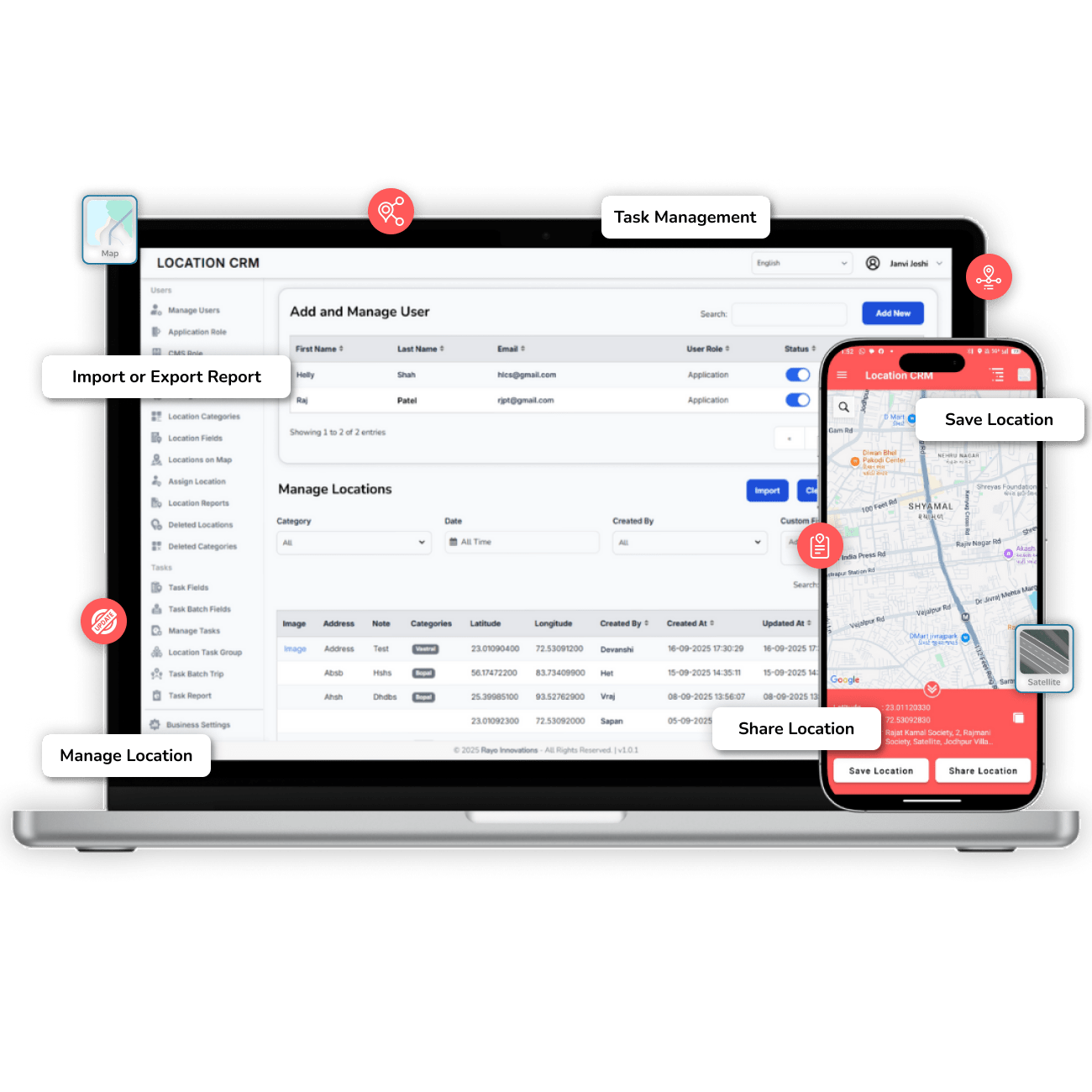
Location CRM is a smart, field-focused application that helps teams stay organized and efficient. It lets users manage tasks, record visits, and add detailed locations with just a few taps. You can type an address or pin it on the map, and every update stays synced in real time. Whether it’s assigning work or confirming visits, everything’s tracked with time stamps and location verification.
Managers can monitor activities, assign roles, and generate reports easily. The app also offers visual map management and push notifications, so no update slips through the cracks. With one-tap sync and live GPS tracking, your data is always secure and up to date. It’s simple to use, light on clicks, and built for teams that move fast.
In short, Location CRM keeps fieldwork smooth, accurate, and transparent. It helps businesses track who’s doing what, where, and when without missing a beat.
Getting Started is Simple
Sign Up
Create an account
Set Up Devices
Install the app
Track & Manage
Monitor locations in real-time
Analyze Data
Use reports for insights
Designed for Diverse Industries
Our GPS location-saving solution is versatile and supports businesses across multiple sectors. Whether you manage teams, assets, or locations, this tool simplifies operations.
Adventure Travel Companies
Track guides, tourists, and destinations in real time.
Mark event venues, entry points, and vendor locations.
Complete Feature Set for Mobile App
The Location CRM's mobile app features live GPS tracking, smart task tools, and quick location saving for always being on the move. You can navigate with the built-in map, and automatic data syncs to keep everything smooth. Real-time updates help you stay in sync without hesitation. Searching, reporting, and tracking progress feels effortless, like the app just knows what you need before you tap. Every feature is built to make fieldwork quick, accurate, and honestly, a whole lot easier.
Core Location Features
Core location features help you stay on track with live GPS updates that move when you do. You can quickly save or add new places with notes, images, and coordinates. All data syncs automatically, keeping everything tidy and secure. It’s simple, fast, and just makes fieldwork feel easy-peasy.
Current Location:
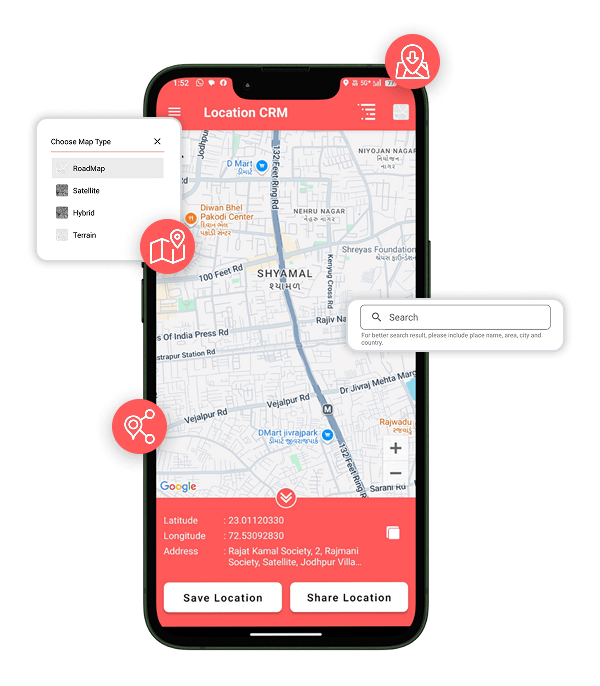
Shows your live GPS position with automatic real-time updates.
Save Location
Save exact spots by dropping a pin or using your current position.
Add New Location
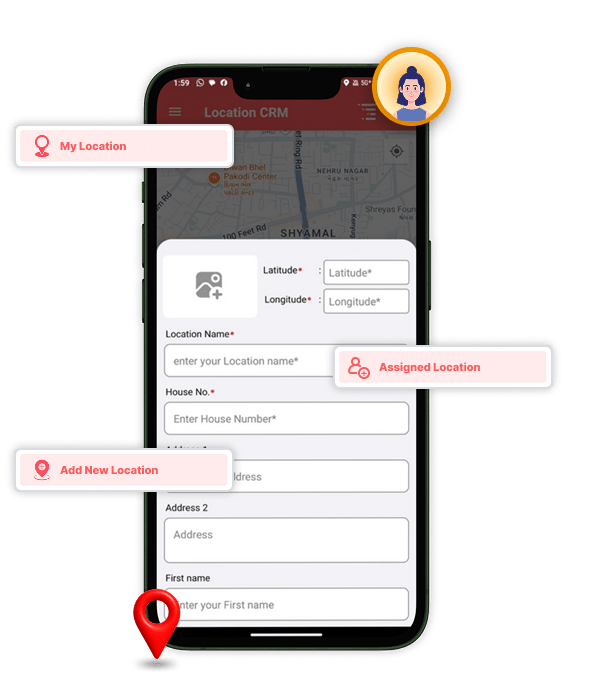
Create new customer or site entries with complete details including address, images, notes, latitude, and longitude.
My Location
Get instant access to all your saved and assigned locations in one place.
Core Location Features
Keeps your fieldwork simple, accurate, and always up to date with auto-sync and easy location management.
Task & Location Assignment
Managing work gets super easy with Task Assignment. You can see assigned locations and tasks, follow built-in maps, and never lose your way again. Each task shows clear details, from what’s due to what’s done, making progress tracking a breeze. Trips start with one tap, and syncing happens automatically, so your updates reach the team in real time.
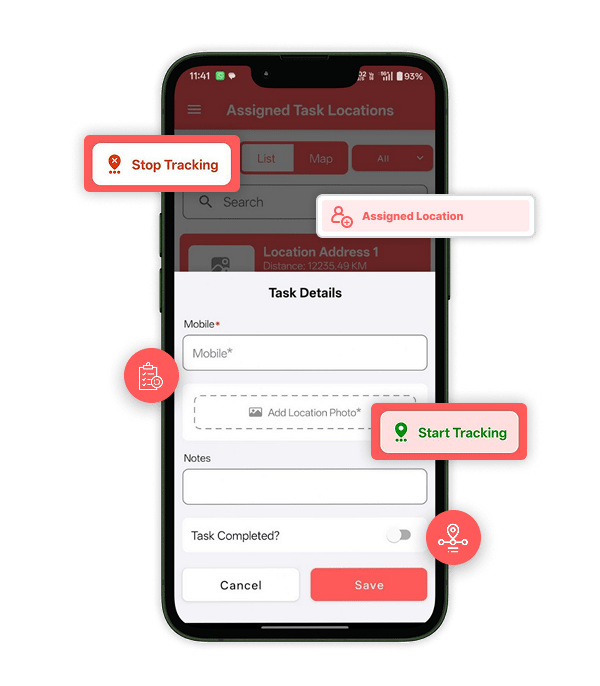
Assigned Location
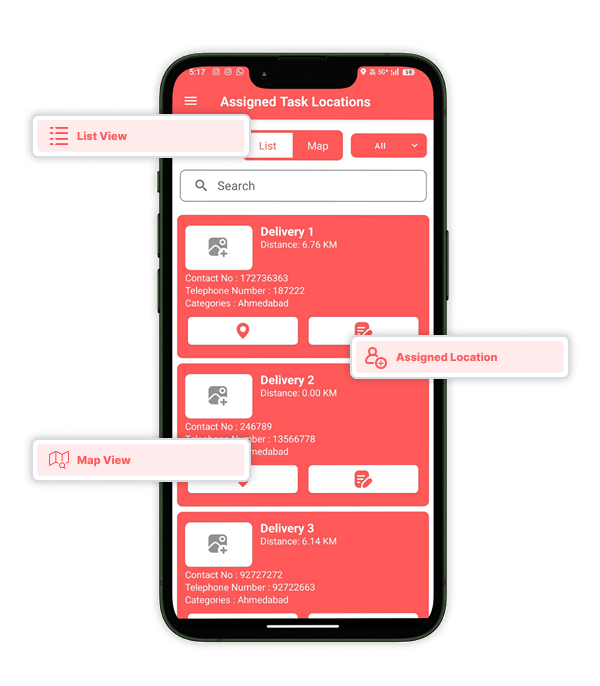
View all manager-assigned locations with built-in map navigation for easy access.
Assigned Task
Check assigned tasks with complete details including descriptions, deadlines, and status updates such as Pending or Completed.
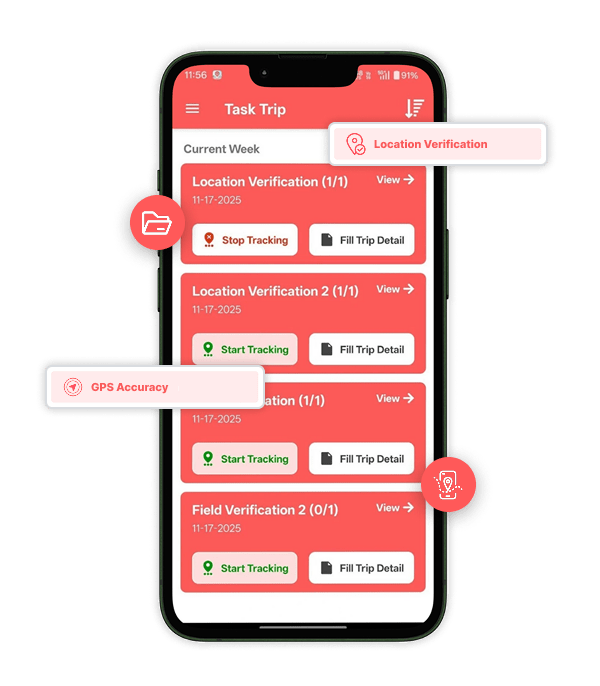
Task Trip
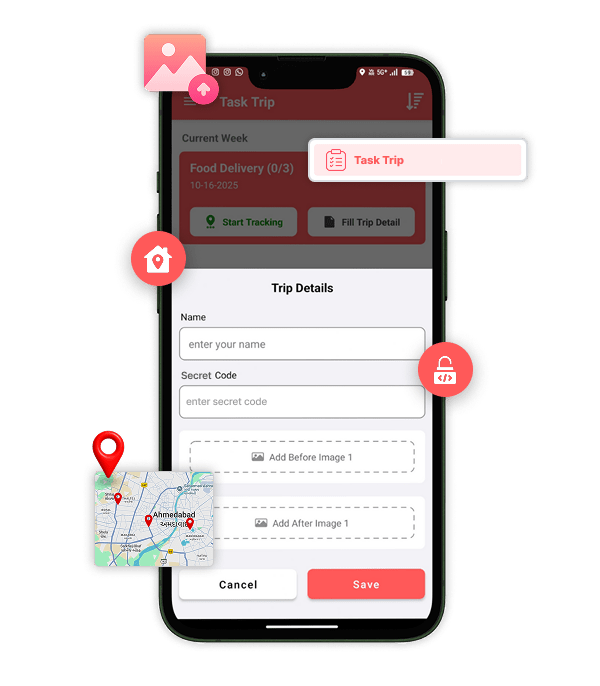
Start and end trips with one tap while adding trip details like duration and notes at completion.
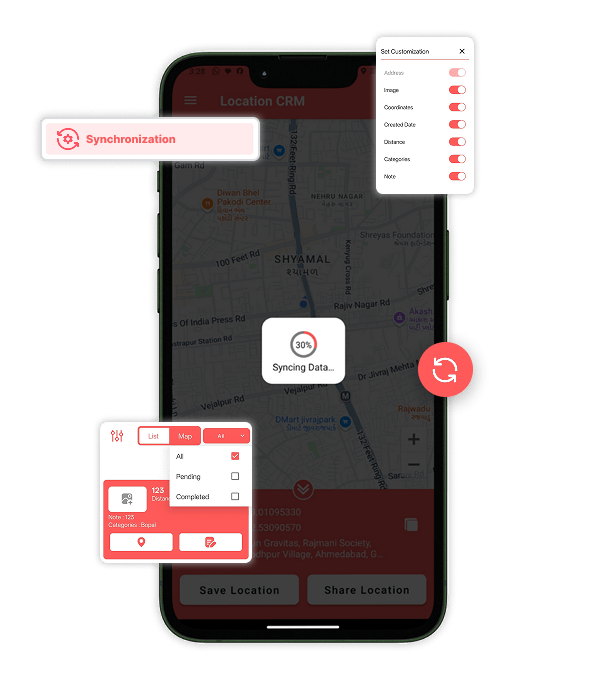
Synchronization
Automatically syncs all task and location data with the central server for real-time team updates.
Task and Location Assignment
Keeps every assignment organized, trackable, and always up to date without extra effort.
Tracking & Reporting
Location CRM keeps everything clear and easy to track. It verifies visits, records trip timelines, and logs time automatically without any fuss. Managers and Executives can view real-time task reports directly on their phones. It’s simple, reliable, and feels like having a smart helper by your side.
Location Verification
Confirms that employees have visited their assigned locations using GPS accuracy.
Trip Timeline Tracking
Tracks each executive’s travel route, including arrival and departure times at every site.
Time Stamp
Automatically records the exact date and time for all visits, check-ins, and task updates.
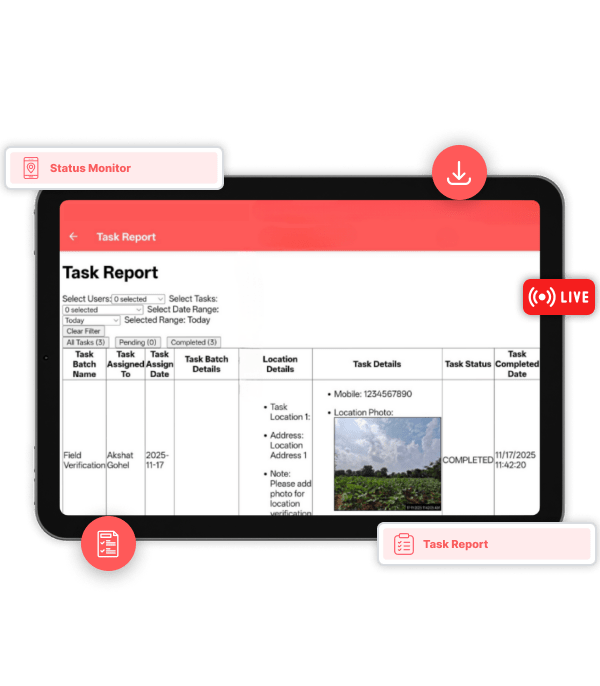
Task Reports
Lets admins and executives view live task status directly from their mobile devices.
Tracking & Reporting
Ensures full visibility, accuracy, and reliability—keeping every movement and update clear and organized.
In-App UX Features
Everything feels smooth and effortless with Location CRM’s user-friendly UX. You get Google Maps navigation, quick search for any task or place, and instant push alerts that keep you in the loop. The app’s clean layout can be tweaked your way, change map units, directions, or even time formats. It’s simple, fast, and easier.
Map Functionality
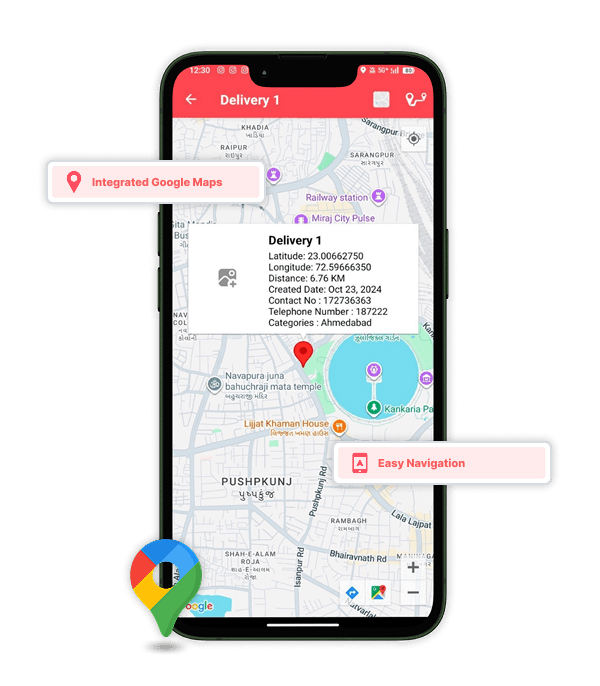
Integrated Google Maps for easy navigation and clear location overview.
Search
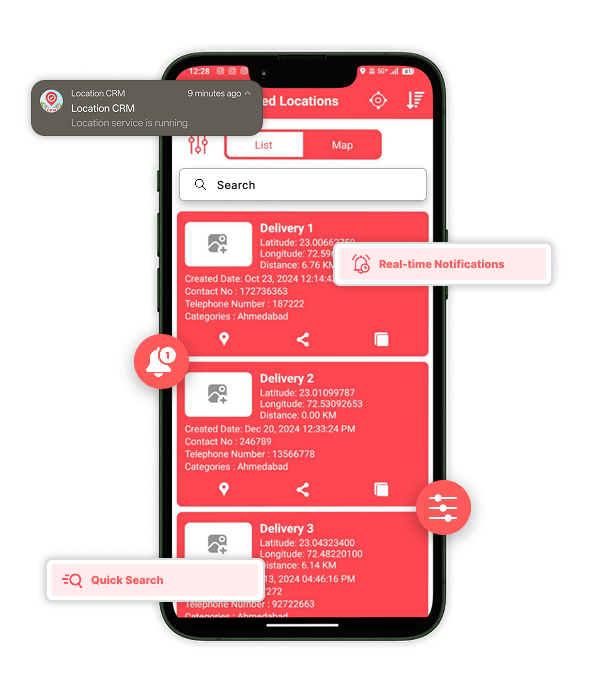
Quick Search helps you instantly find any task, location, or client entry.
Notifications
Real-time push alerts keep you updated on new assignments, changes, and sync status.
Preferences
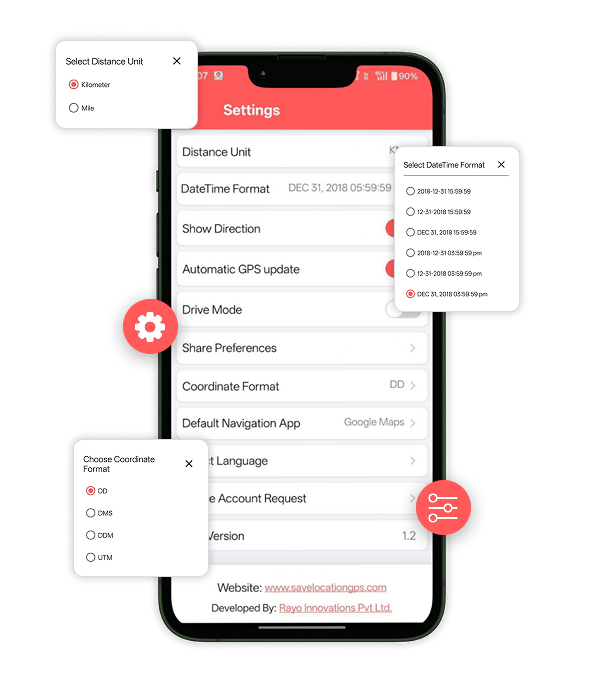
Customize your app view with options to adjust map type, units, time formats, and languages.
User Experience
A clean and simple interface makes every action fast, smooth, and effortless.
Admin Panel Features
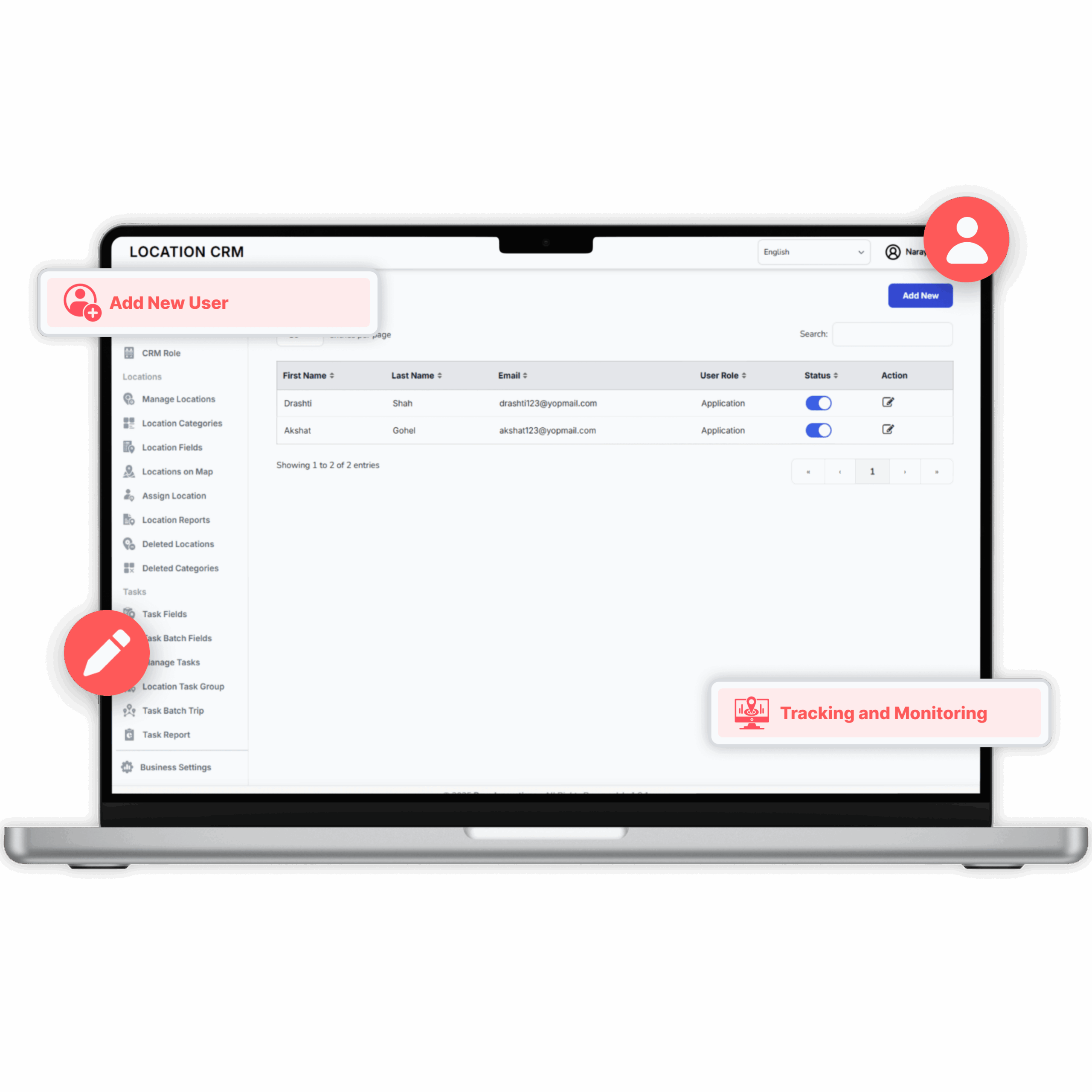
Location CRM Admin Panel Features give complete control over users, locations, and tasks in one organized space. You can manage user roles, permissions, and backend access with ease while keeping everything secure. Locations and tasks can be edited, assigned, grouped, or tracked using visual maps and custom reports. Every feature is built for smooth coordination, quick decisions, and effortless management across teams and operations.
User & Role Management
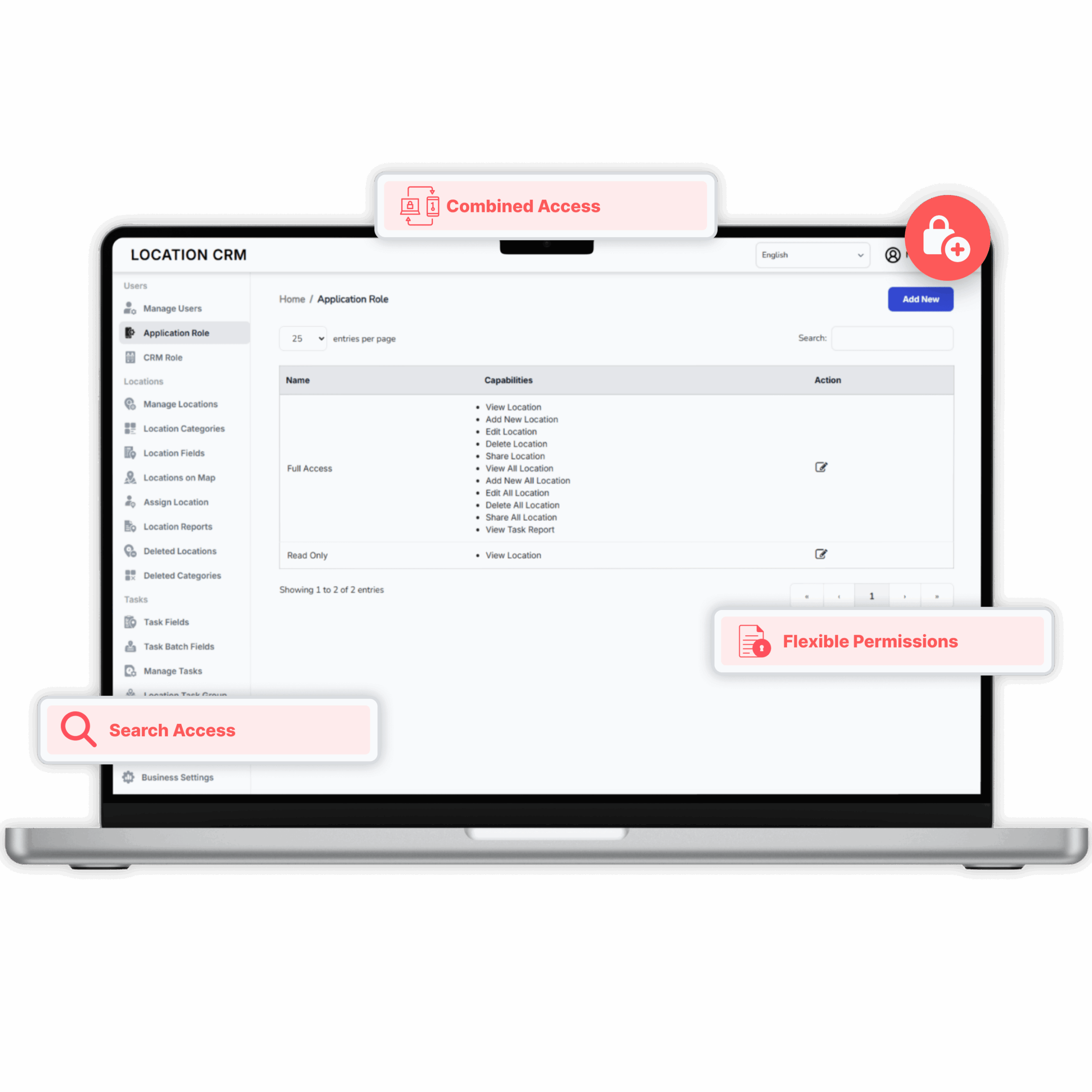
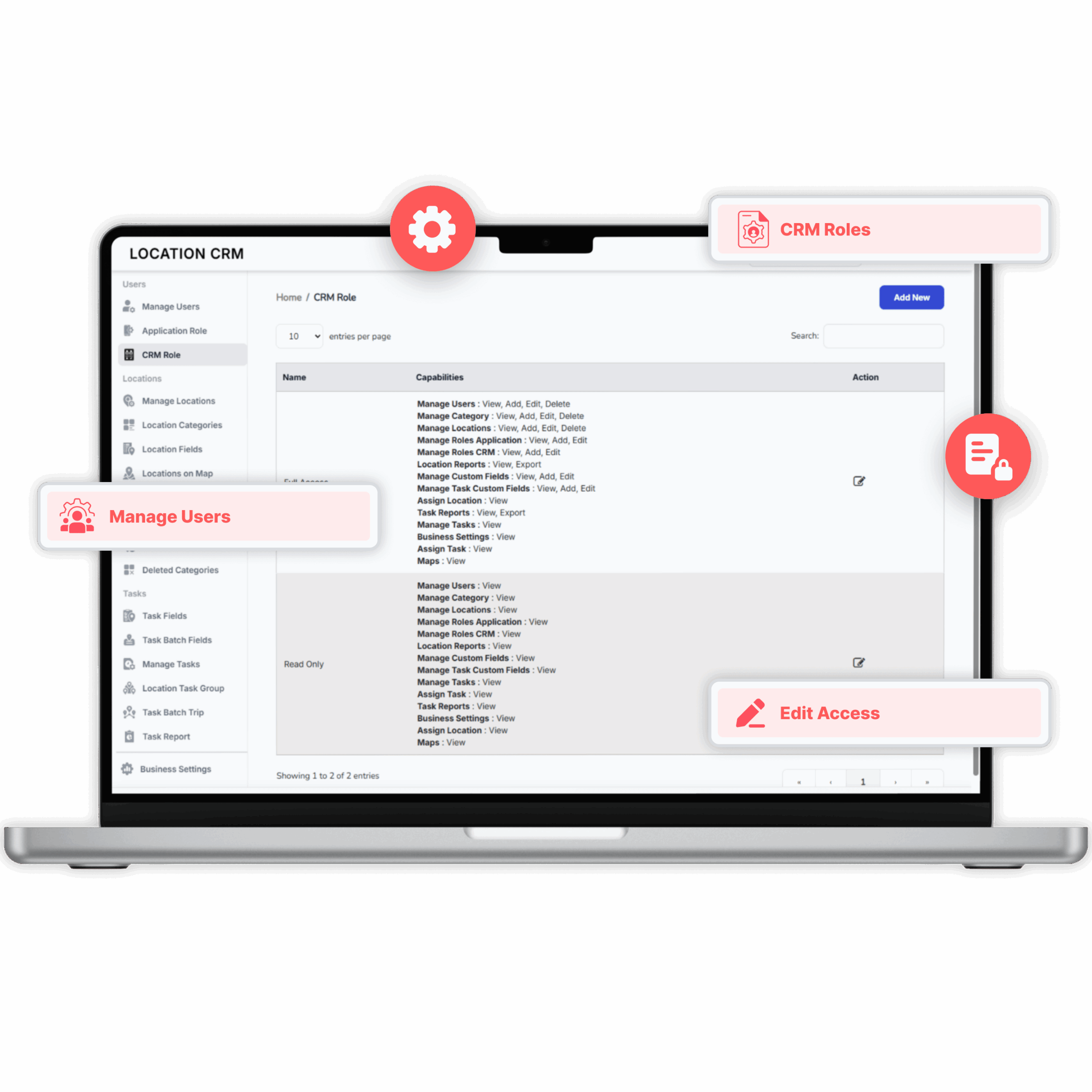
Location CRM gives full control over user access and permissions without making things complicated. You can assign roles under Application, CRM, or Both, depending on what each person needs. In the Application Role, users may get read-only rights or full access to view, add, edit, or share locations and reports. Meanwhile, CRM Roles allow managers to control everything from users and categories to tasks, reports, and settings. Whether it’s limited viewing or complete admin control, every option is flexible, secure, and built for smooth teamwork.
Manage Users
Create, edit, or remove users with complete activity tracking and monitoring.
Application Role
Assign custom access levels for field staff, managers, or admins. Users can have read-only or full control to view, add, edit, delete, or share locations and reports.
CRM Role
Grant managers the authority to manage users, tasks, categories, reports, and settings within the CRM dashboard.
Combined Access (Both)
Assign dual access for users who need both mobile app and CRM panel control, ensuring smooth coordination between field and backend operations.
Flexible Permissions
Every access level is adjustable, secure, and designed for efficient teamwork without adding complexity.
Location Management
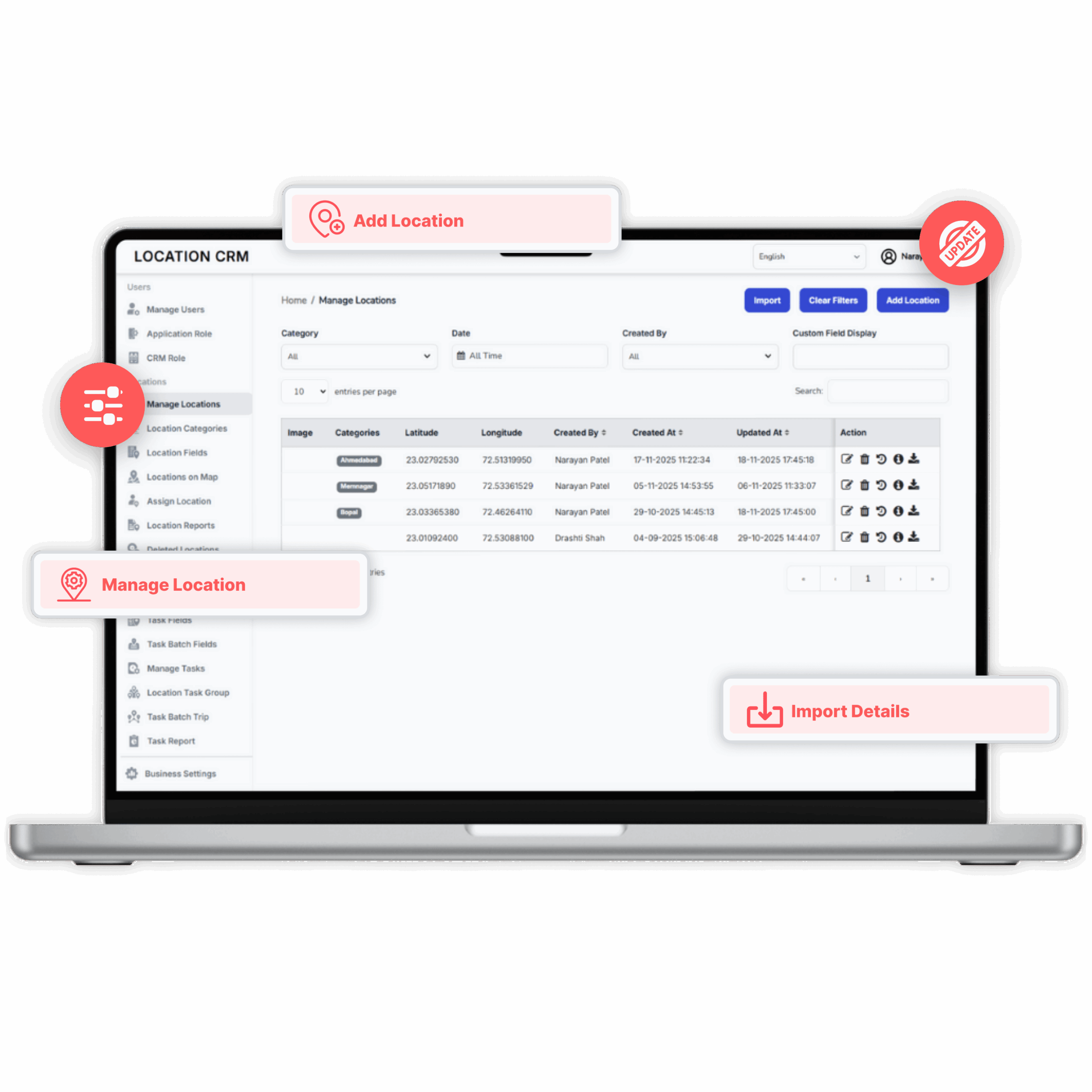
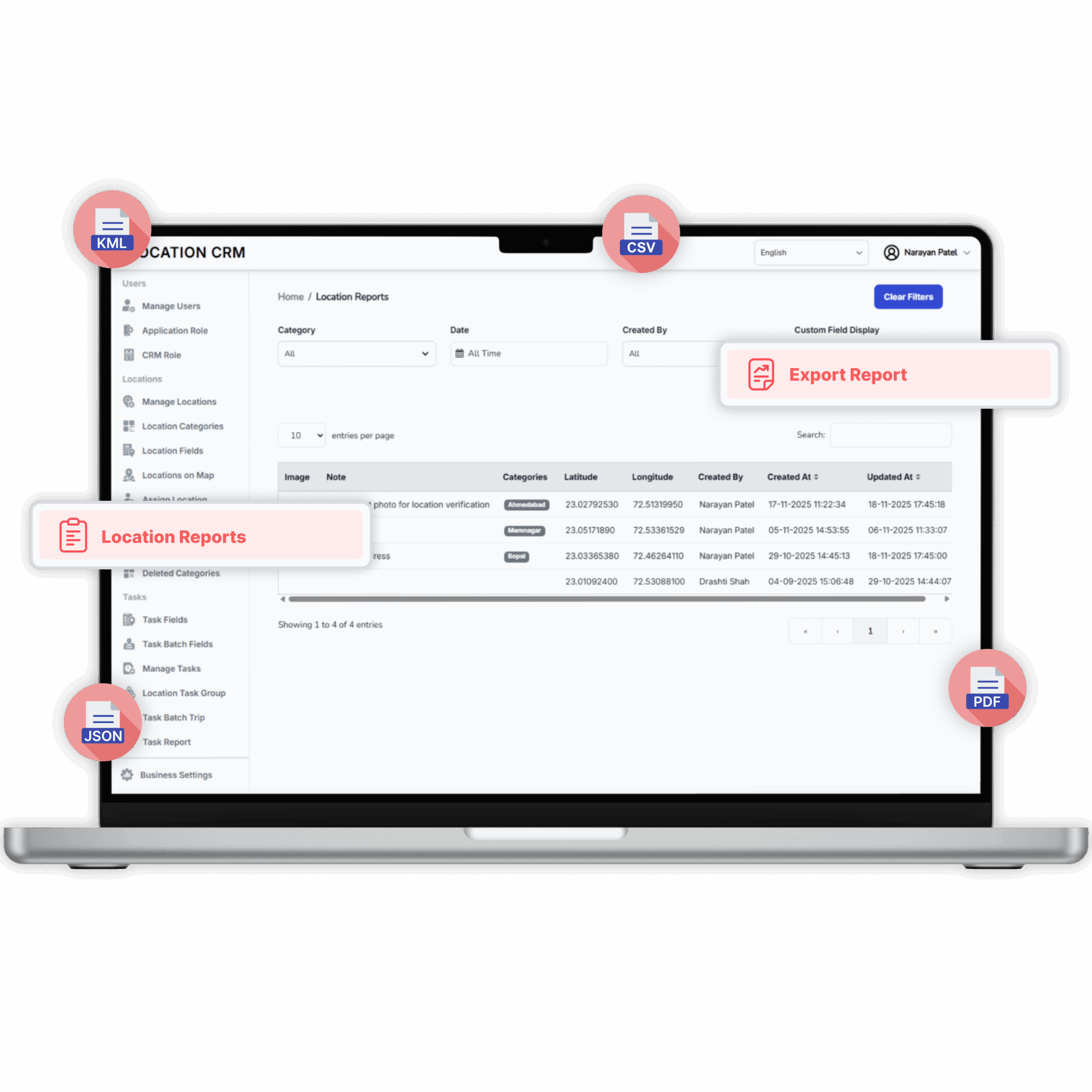
Location Management keeps your location data organized and easy to handle. You can edit, update, and group sites into categories like warehouses, offices, or client locations with just a few taps. Custom fields help you record site-specific details, while the map view lets you track and assign locations visually. Reports can be exported in multiple formats like KML, XML, JSON, CSV, PDF, and even deleted entries can be restored when needed. Everything stays tidy, clear, and simple to manage.
Manage Locations
Add, edit, update, or organize saved locations with ease.
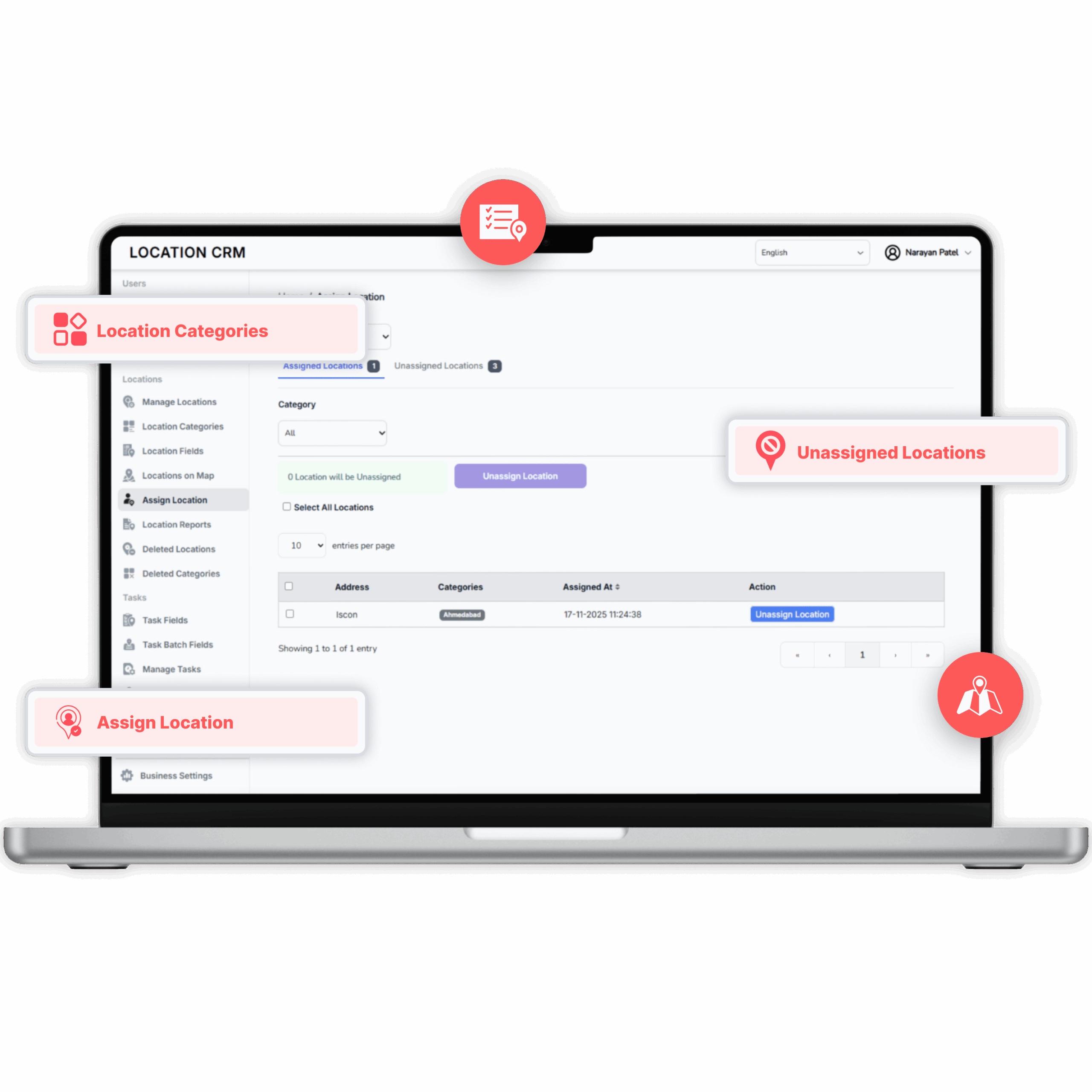
Location Categories
Group sites into categories such as offices, warehouses, or client locations for better organization.
Location Fields
Add custom fields to capture specific site details like reference IDs or special notes.
Locations on Map
Get a visual map view of all locations for quick tracking and better decision-making.
Assign Location
Allocate specific locations to employees for tasks or visits directly from the dashboard.
Location Reports
Generate and download detailed reports on visits, updates, and team performance.
Deleted Locations & Categories
Access archived entries anytime and restore them if needed.
Import/Export
Export location data or reports in up to five customizable formats for easy sharing and analysis.
Task Management
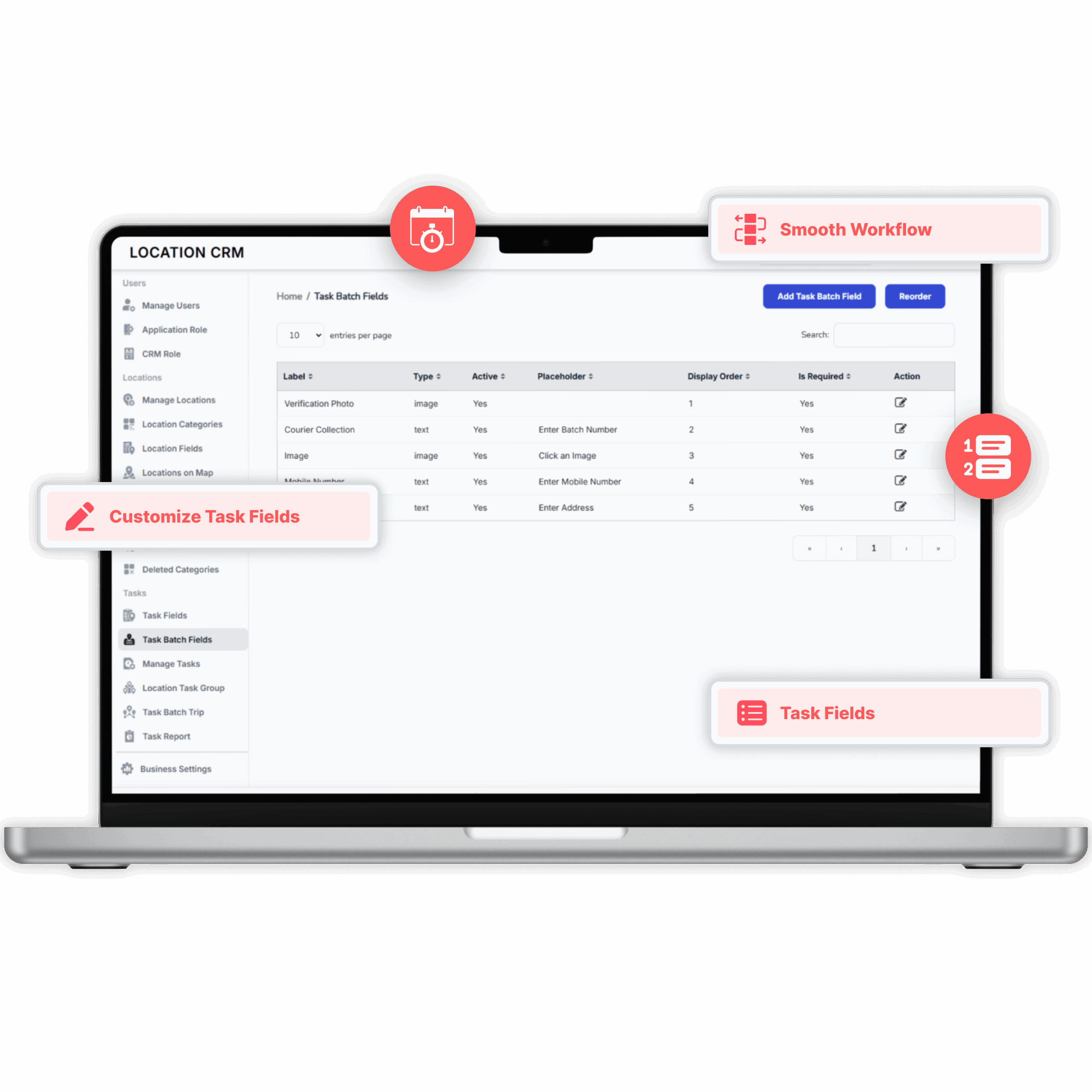
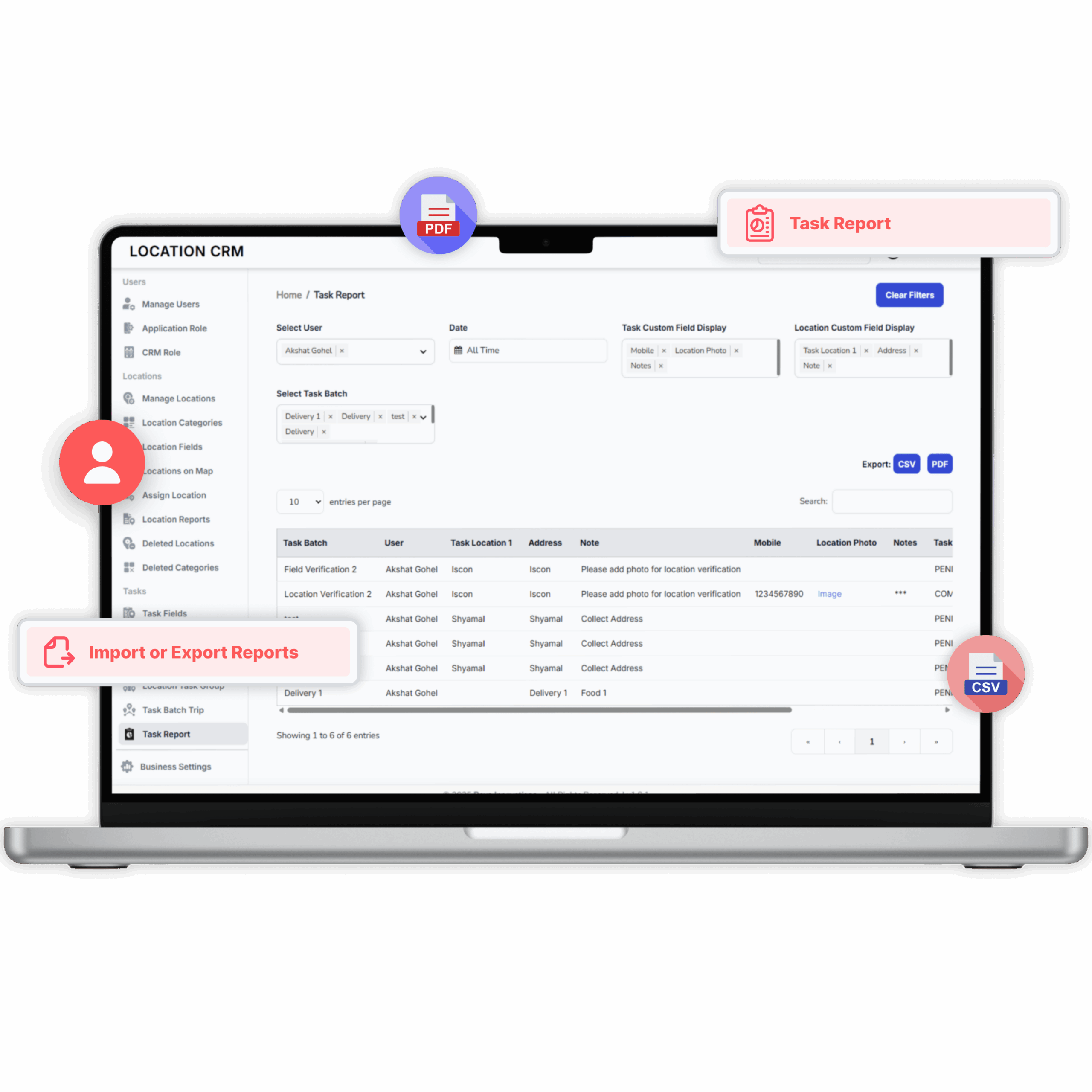
Task Management makes task handling effortless and flexible. You can customize task fields to fit any workflow and even configure bulk task fields for faster setup. Managers can edit, reassign, or group multiple tasks under one location to keep everything connected. With batch trips, teams handle several tasks in one optimized route. Reports show progress, timelines, and task insights, and can be imported in different formats for easy analysis.
Task Fields
Customize task fields to match your workflow and capture specific details like deadlines or priorities.
Task Batch Fields
Edit, update, or reassign tasks anytime to keep operations running smoothly.
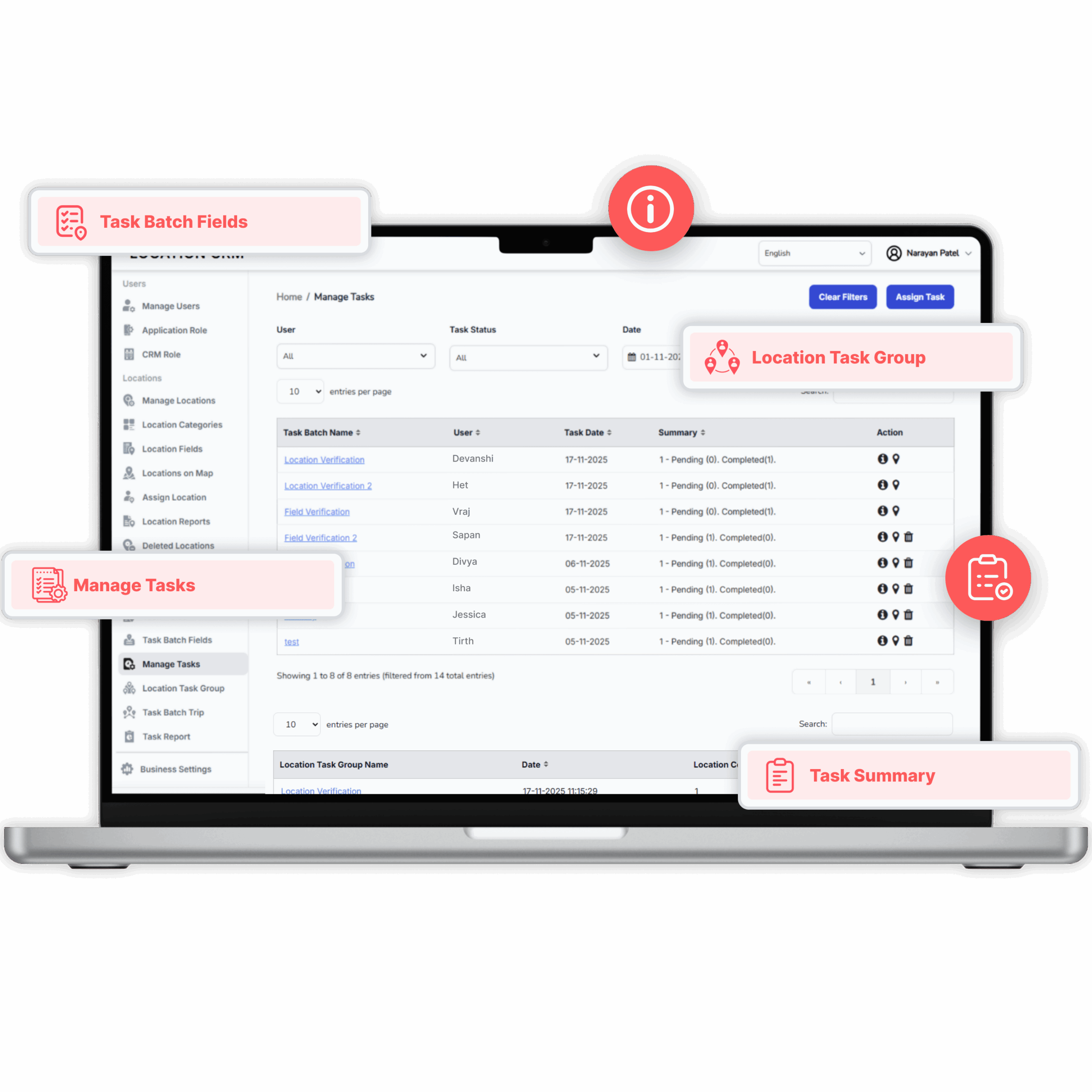
Manage Tasks
Edit, update, or reassign tasks anytime to keep operations running smoothly.
Location Task Group
Link several task fields to a single location for quick assignment and repeat use.
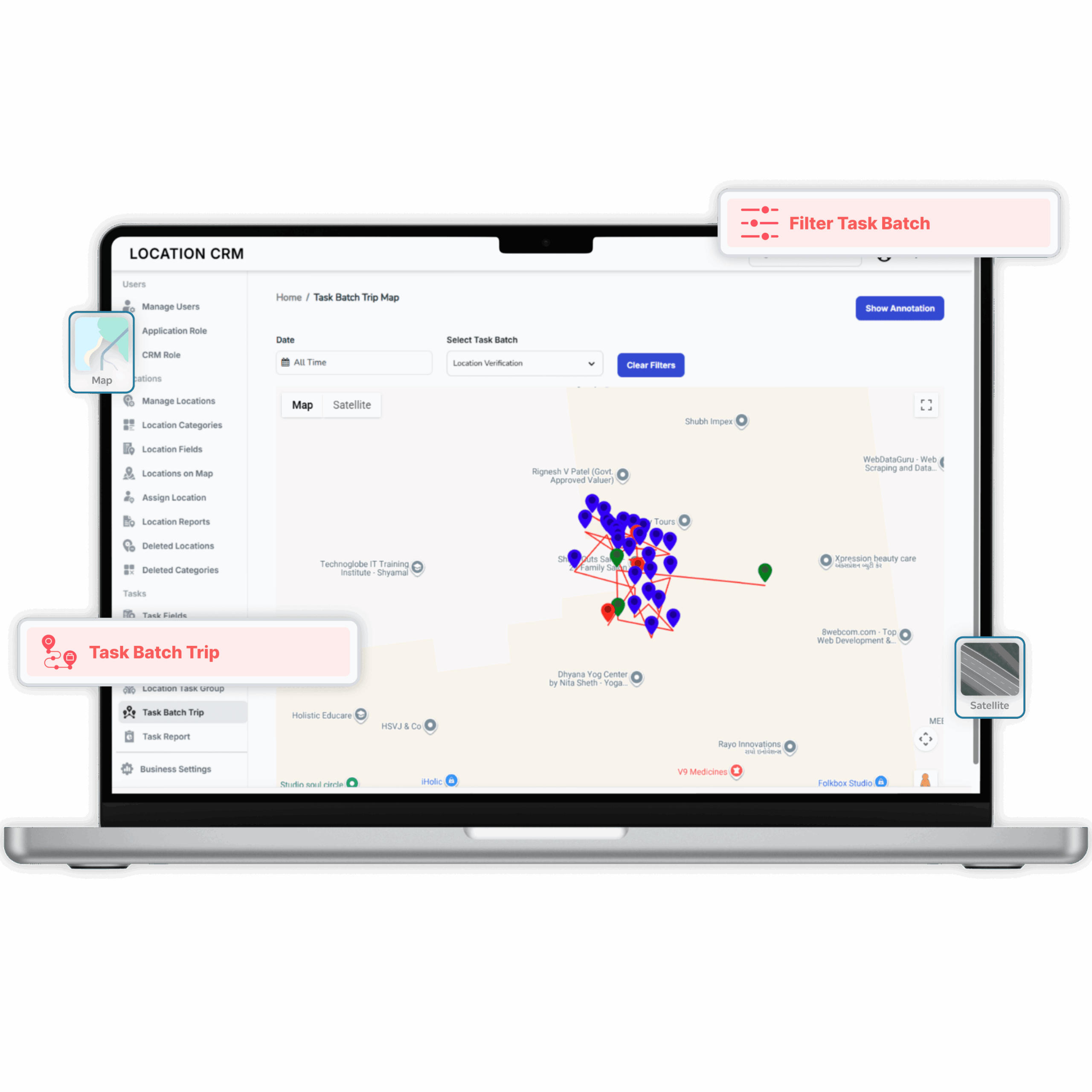
Task Batch Trip
Combine multiple tasks into one optimized route to save time and improve efficiency.
Task Reports
Track progress, completion status, and timelines with clear performance insights.
Import/Export
Import or export reports easily in formats like CSV and PDF for analysis and sharing.
Why Businesses Rely on CRM
Businesses love Location CRM because it makes managing field work simple. From assigning tasks to tracking visits, everything stays organized and easy to handle – no stress, no confusion.
Real-time Field Visibility
Managers can see where their team is in real time, making it super easy to plan smarter routes and verify visits on the fly. It saves tons of time and cuts down the usual back-and-forth chatter.
Effortless Task Execution
Field staff can check their tasks, find locations, and update progress all in one go. No need to juggle between apps or tools; it just flows naturally, keeping work simple and smooth.
Accurate Tracking and Reporting
Every visit and task update is automatically recorded with timestamps. That means no missing info, no confusion—just clear records that make accountability and progress checks a piece of cake.
Seamless Team Coordination
With automatic sync running quietly in the background, everyone stays updated without lifting a finger. Teams work better together, decisions happen faster, and everything feels nicely connected.
Smooth User Experience
The app’s clean layout and easy controls make it feel effortless to use. Real-time alerts and customizable settings give users freedom and comfort, making workdays lighter and way more productive.
Streamlined Team Control
Manage every user and role with ease, ensuring each team member has the right access level without confusion. It keeps operations secure, organized, and perfectly in sync.
Smarter Location Oversight
All your business sites stay neatly organized and easy to track, helping teams locate, assign, and update places faster while reducing mix-ups and manual effort.
Simplified Task Coordination
Assign, track, and update multiple tasks in one place so field teams know exactly what to do and where to go, improving overall productivity and accountability.
Faster Decision-Making
Real-time data, detailed reports, and visual maps help managers make quick, confident decisions backed by accurate insights — no more guessing or waiting for updates.
Seamless Workflow Integration
With automatic syncing between mobile and CRM, everyone stays connected. Field teams and managers work together smoothly, cutting down delays and keeping business moving efficiently.
Why Businesses Choose Location CRM
Location CRM gives teams clear visibility into every field activity, so managers always know what’s happening in real time. It builds accountability with verified check-ins and task records that keep everyone honest and on track. Workflows become faster and cleaner, reducing endless calls or manual updates. Plus, it’s flexible and secure, scaling easily for any team size while keeping all data protected and compliant.
Visibility
No more guessing where teams are working
Accountability
Proof of presence and task completion
Efficiency
Cut down calls, chats, and messy updates
Flexibility
Works for small teams or large enterprises
Security
Reliable data hosting with compliance standards
Scalability
Grows effortlessly with your organization as your team and operations expand
What Our Customers are Saying
Businesses across industries trust our CRM app to simplify their field operations. Our users share how our app helps them work smarter, stay organized, and save time every day.
So far, so good after 3 hours using this app. I deliver pizza and I've added numerous GPS locations. I tested one of them and it worked perfectly. What I like about this app is I can pull up "search" by address name or address number. When it pulls it up I can click on the "map" icon and it opens my "Google Go Map" app. Then I just click on the "navigate" button and I'm good to go. This app is super easy to use. I hope you won't change anything. I've seen so many updated apps get ruined.
A Google User
⭐⭐⭐⭐⭐
Extremely helpful app! Exactly what I wanted, but more! Now I can never miss/forget important places! Just one tap on its button in quick menu and current location is saved! It is that easy! Its price is right, so happily bought it! FEATURES REQUEST: 1). Dark Amoled theme. 2). Track recording. 3). Location alert/alarm. Thank you developers!
Adil Jamal
⭐⭐⭐⭐⭐
Perfect app. We use it to save rural farm locations with no proper street adresses and our team members are then able to easily go to the destinations for deliveries with all key info required incl. mobile phone number and picture of entrances. This app is so great that I just subscribed. Only issue is export to PDF not working and let's hope it will be fixed soon. I email support and will update this review as soon as fixed.
A Google User
⭐⭐⭐⭐⭐
I have to drop people and machinery to a huge number of rural farms in NZ and I'm so pleased to be able to push a button when I get somewhere, log the location and never have to remember the way again - it seamlessly links to google maps and gives directions and travel time. And you can obviously load addresses in manually. I'm checking to see if I can share this with my team and we can share knowledge faster - it would be handy if it could, fingers crossed
A Google user
⭐⭐⭐⭐⭐
I say this app is pretty good. I'm using this app for a small project that I'm doing which is recording crimes with descriptions that are happening in my city. Recently, the crime rate has been going up and I felt that I should watch more of the news and find out where they're located since I'm bad with remembering street names and locations. So far, this app has most of the functions that I needed and it was easy to get used to when I first opened it.
Gracie Yang
⭐⭐⭐⭐⭐
I tell you what, development team, I'm a taxi driver that hauls railroad crew and I need to something to share with the new drivers that will be coming soon and, unlike the Google Map, this is MUCH EASIER TO USE. STILL ⭐⭐⭐⭐⭐
Herman J. Mortimer
⭐⭐⭐⭐⭐
Frequently Asked Questions
1. What is the Location CRM app used for?
Location CRM helps businesses manage and track field operations through GPS-based location sharing, task assignment, and task reporting. It ensures teams work efficiently by connecting field staff with managers through live location updates and task monitoring.
2. How does Location CRM help field teams manage daily operations?
Location CRM helps field teams track and save locations, update tasks, and record visits in real time. Each activity is time-stamped and GPS verified, ensuring smooth coordination and accountability between field staff and managers.
3. Does the app work for multiple industries?
Absolutely. It supports logistics, real estate, travel, maintenance, healthcare, and many more. Any team that operates across different sites can use it to plan routes, track visits, and store accurate coordinates.
4. Is internet connectivity required for the app?
The app requires internet connectivity for real-time sync, GPS sharing, and updates. However, most field operations can still be recorded offline and automatically synced once the device reconnects.
5. Can managers customize roles and permissions?
Yes. The Admin Panel allows managers to assign different roles such as field staff, manager, or admin. Access rights can be tailored per user, controlling what they can view, edit, or manage.
6. What features make task assignments easier in Location CRM?
Managers can assign tasks with exact site pins. Employees can start trips, add notes or images, and mark completion. All synced automatically for real-time visibility.
7. Can the app track task history or past visits?
Yes. Every activity, from location visits to task updates, is stored in a detailed history log. This feature allows managers to review employee performance, visit records, and completion timelines anytime.
Manage Multiple Locations From One Dashboard
Location CRM gives you the clarity and tools you need to run sites smarter.